
TL;DR
Most website visitors leave without filling out a form, but visitor identification can reveal the companies and people behind that hidden traffic. This guide explains how identification works, what affects match rates, how to read buying intent, and how to turn high-intent visitors into sales conversations while keeping privacy and compliance in mind.
Someone is visiting your website right now. They could be checking your pricing, comparing competitors, or researching your product before making a purchase.
If they leave without filling out a form, you may never know who they were.
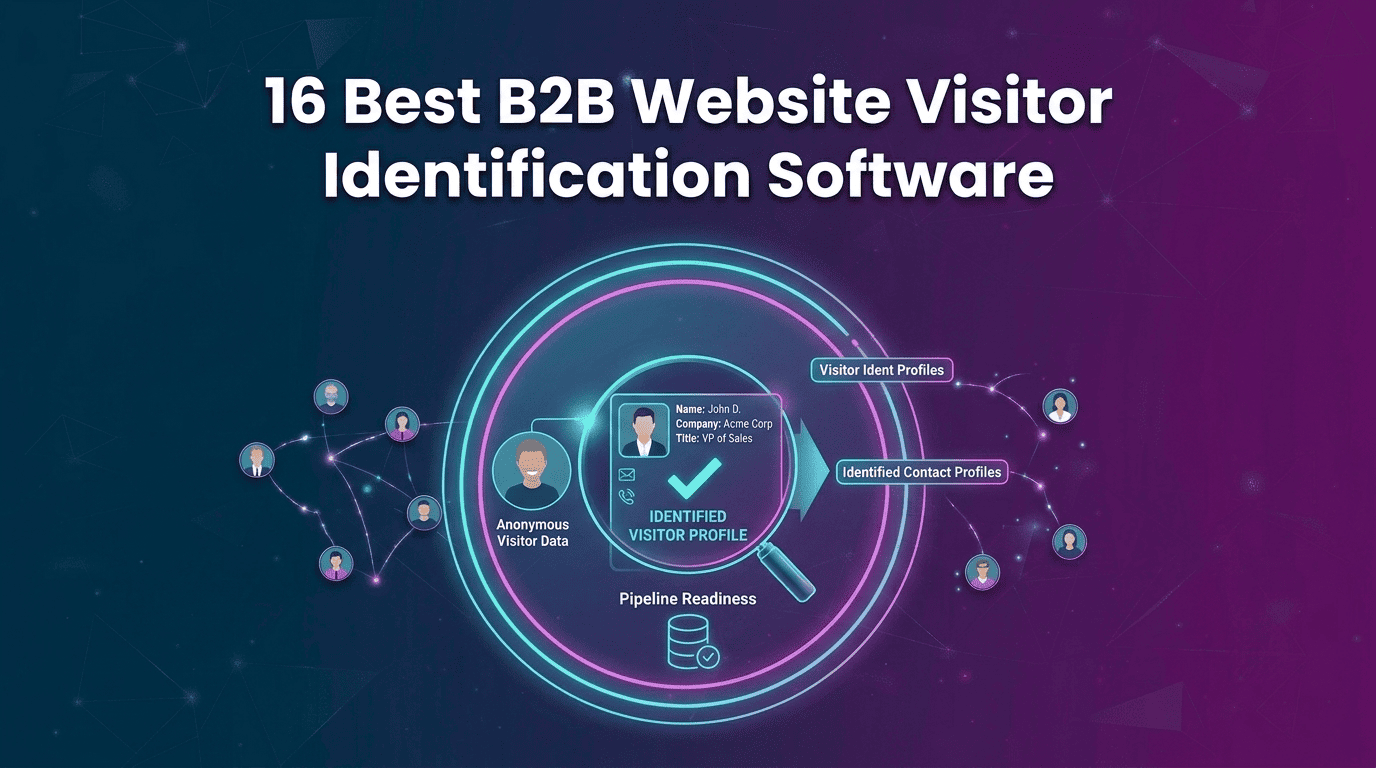
That’s the gap website visitor identification tools close. It can reveal the company behind an anonymous visit and, when enough data is available, the person visiting your site.
But knowing who visited is only the start. The real value comes from combining identity with ICP fit and buying intent so your team knows which visitors are worth contacting and when.
In this guide, you’ll learn how to identify anonymous website visitors, understand their intent, and turn hidden website traffic into qualified sales opportunities.
What Anonymous Website Visitors Are and Why Most Traffic Stays Hidden
An anonymous visitor can read your content, compare your product, or check your pricing without sharing their name or email. Your analytics can record what they did, but your CRM may still show nothing about who they are.
For B2B teams, this creates a big gap that B2B website visitor tracking software can help close.
Around 98% of website visitors never fill out a form, while many buyers research products long before talking to sales. Remote work, VPNs, privacy tools, and home networks can make these visitors even harder to identify.
1. The Form-Fill Gap in B2B Buying
Most buyers do their research before contacting a sales team. According to 6sense's Buyer Experience Report, 81% of buyers had already chosen a preferred vendor before speaking with sales.
So, if you only rely on demos or contact forms, you may discover potential customers after they have already made most of their buying decisions.
2. What Analytics Can and Cannot Tell You
Analytics tools can show you what a visitor did, such as which pages they viewed, how long they stayed, and where they came from. But they usually cannot tell you exactly who the visitor is.
For example, you may know that someone spent four minutes on your pricing page, but not that they work as a VP of Revenue Operations at a company that fits your target market.
This is where How to Identify Anonymous Website Visitors becomes useful. It helps turn visitor activity into company and contact information your sales team can actually use.
3. The Three Levels of Visitor Identification
Visitor identification usually works at three levels. Understanding these levels helps you choose the right type of data for your sales strategy.
How Visitor Identification Actually Works: From Pixel to Person
Visitor identification helps turn an unknown website visit into useful company or contact information. It starts by collecting basic visitor signals, matching them with business data, adding more details, and then using their website activity to understand their buying interest.
1. Capture Visitor Signals
A small JavaScript pixel is added to your website or Google Tag Manager. It collects basic signals such as IP address, device type, referral source, pages visited, time spent on the site, and return visits. These signals help the system understand and identify the visitor.
2. Identify the Company
The system uses IP and network data to find the company behind the visit. Visits from office or corporate networks are usually easier to match than visits from home networks. Once the company is identified, the system can add details such as industry, revenue, employee count, and location.
3. Identify the Person
If enough data is available, person-level visitor identification can connect the visit to an individual. The system compares visitor signals with professional records to find a strong match. When the match is reliable, it may provide details such as the person's name, job title, and professional profile.
4. Add Useful Contact Details
Knowing the company or person's name is not always enough for sales outreach. Enrichment adds details such as work email, phone number, job title, department, and LinkedIn profile. Using multiple data sources can also improve the chances of finding accurate contact information.
5. Understand Buying Intent
The system also looks at what visitors do on your website. Pages viewed, time spent, repeat visits, and activity from other people at the same company can all provide useful signals. This helps your team separate casual visitors from companies that may be actively looking for a solution.
Also Read: How To Identify Anonymous Website Visitors: Meet Kwin, Your AI Business Developer
Company-Level vs Person-Level Identification: What Each One Returns
The right option depends on what your sales team needs from visitor data. Company-level identification helps you find and prioritize accounts, while person-level identification helps you find the people who may be involved in the buying process.
What Company-Level Identification Gives You
- Identifies the company visiting your website.
- Shows details such as industry, company size, location, and revenue.
- Shows which pages the company viewed.
- Helps sales teams prioritize target accounts.
- Works well for ABM campaigns and account-based selling.
- Helps teams decide which companies deserve sales attention.
What Person-Level Identification Gives You
- Connects a website visit to a specific person when a reliable match is available.
- Can provide the visitor’s name, job title, and department.
- May include work email, phone number, and LinkedIn profile.
- Helps sales reps find the right person to contact.
- Makes outreach more direct and personalized.
- Can help identify different people involved in the buying process.
Which One Does Your Team Need?
- Choose company-level identification if your focus is ABM, account targeting, or sales prioritization.
- Choose person-level identification if your sales team needs specific contacts for outreach.
- If you sell globally, check whether the tool offers strong person-level coverage in your target countries.
- If possible, choose a platform that supports both so you can move from account identification to contact outreach in one workflow.
Also Read: ZoomInfo Alternatives: Top Tools for Person-Level Visitor Identification
How to Identify Anonymous Website Visitors in 7 Steps
Want to turn anonymous website traffic into useful sales leads? Follow these seven simple steps to set up visitor identification and act on the visitors who matter most.
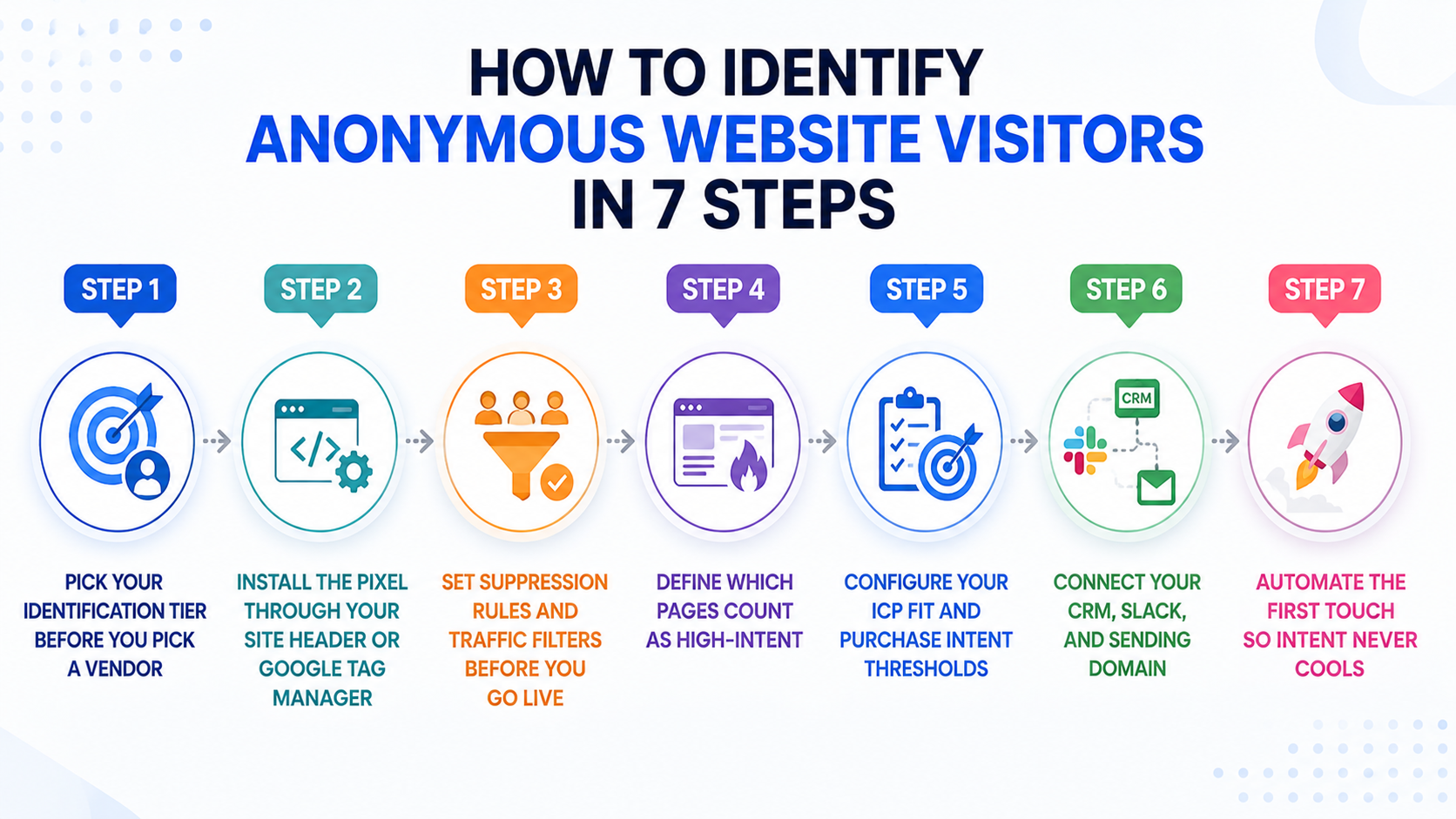
Step 1: Decide What Type of Visitor Data You Need
First, decide what your sales team needs. Choose company-level data if you want to find target accounts. Choose person-level data if you want to reach specific people. Also check whether the tool covers your target countries and traffic sources.
Step 2: Add the Identification Pixel
Add the tracking pixel to your website header or through Google Tag Manager. Install it across your entire website so you can track the visitor journey. Test a few pages on both desktop and mobile to make sure it works properly.
Step 3: Filter Out Unwanted Traffic
Remove internal visits, competitors, agencies, and other irrelevant traffic. You can also filter visitors by country, page, industry, and company size to keep your sales alerts focused.
Step 4: Mark Your High-Intent Pages
Not every page shows the same level of interest. Give higher priority to pricing, product, demo, and comparison pages. Case studies, security, and integration pages can show research interest, while general blog and careers pages usually need less attention.
Step 5: Set Your ICP and Intent Rules
Keep ICP Fit and Purchase Intent separate. ICP Fit tells you whether the company matches your ideal customer profile. Purchase Intent shows how ready they may be to buy. Set a minimum score for both, so your team focuses on the most valuable visitors.
Step 6: Connect Your Sales Tools
Connect visitor identification with your CRM and Slack so your team can receive and manage qualified leads quickly. You can also connect your sending domain through Gmail, Outlook, or SMTP for automated outreach. Make sure every alert has someone responsible for following up.
Step 7: Automate the First Follow-Up
The faster you respond, the better your chances of starting a conversation. Set up an automated first touch for high-intent visitors, then let a sales rep take over when the prospect responds or shows stronger interest.
How to Read Buying Intent From Visitor Behaviour
Knowing who visited your website is useful, but knowing what they are looking for is even more valuable. Visitor behaviour can help you understand which accounts are just browsing and which may be ready for a sales conversation.
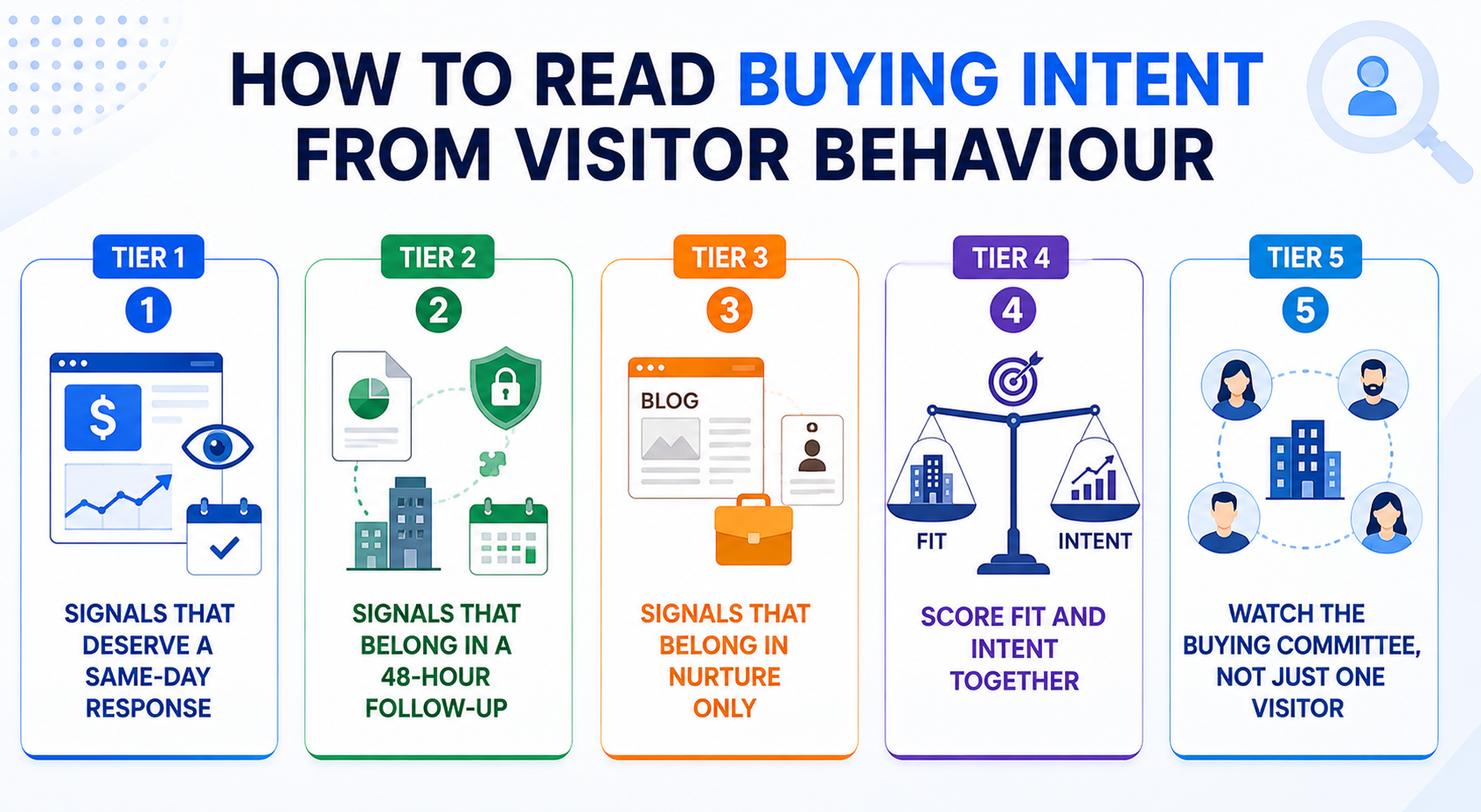
Tier 1: High-Intent Visitors
Repeated pricing visits, demo page views, and competitor comparisons are strong signs of active buying. These visitors should get a same-day sales follow-up.
Tier 2: Research-Stage Visitors
Visits to case studies, security pages, and integration documentation show deeper interest. They may not be ready to talk yet, so follow up within 48 hours and continue tracking their activity.
Tier 3: Low-Intent Visitors
A single blog visit, company page view, or careers page visit usually does not show strong buying interest. Keep these visitors in your marketing campaigns until they show more commercial activity.
Tier 4: Combine Fit With Intent
A visitor may show strong buying intent but still be a poor fit for your business. On the other hand, a company may perfectly match your ICP but have no plans to buy right now. Prioritize visitors who score well on both fit and intent.
Tier 5: Look at the Whole Buying Team
Do not focus on just one visitor. If several people from the same company visit your website, especially people from different departments, it can signal an active buying process. Pay closer attention when they view pricing, product, or technical pages.
How Traffic Source Changes Visitor Intent
A traffic source gives you another signal about why someone visited. Combine it with pages viewed, account fit, and repeat activity to understand the visitor more accurately.
- Organic search: Comparison and solution-focused searches usually indicate stronger intent than general informational queries. SEO traffic visitor identification can help connect search traffic with actual pipeline.
- LinkedIn Ads: You have already paid for the visit, but many users leave without filling out a form. LinkedIn Ads visitor identification can reveal more of the traffic behind those clicks.
- Google and Bing Ads: Paid search visitors often arrive with clear commercial intent. Identifying these visitors can help show which campaigns and keywords are attracting potential buyers.
- ChatGPT and Perplexity: AI referral visitors may arrive directly on pricing, comparison, or product pages because they have already completed some research elsewhere.
- ABM and content campaigns: Visitor identification shows which target accounts are engaging with your content and when previously inactive accounts become active again.
How to Turn Identified Visitors Into Booked Meetings
Identification gives you data. How to Identify Anonymous Website Visitors becomes valuable when that data leads to the right sales action at the right time.
1. Respond the same day, not the same week
Website intent can fade quickly. Set a same-day response standard for high-intent visitors and automate the first touch so your team can act quickly even during busy periods.
2. Write to the topic, not the tracking
Never tell prospects that you saw their website activity. Instead, reference the problem or topic they may be researching. This keeps the outreach relevant without making the interaction feel intrusive.
3. Stack website intent with external signals
A pricing visit is useful, but it becomes stronger when combined with signals such as recent funding, a new executive hire, or relevant job openings. Multiple signals give sales better context for personalization.
4. Nurture medium-intent visitors
Not every identified visitor needs immediate sales outreach. Put Tier 2 visitors into a relevant nurture sequence and monitor their activity. Move them to sales when their behaviour shows stronger buying intent.
5. Hand off to a human at the right moment
Automation should start the conversation, not replace it. Give the rep the email thread, visitor activity, and a summary so they can take over with the right context.
Quick Comparison of Best Visitor Identification Tools
How to Choose Website Visitor Identification Software
The right B2B website visitor tracking software should do more than identify visitors. It should provide useful data, control irrelevant traffic, cover your target markets, and help your team act on qualified visitors quickly.
1. Coverage and geographic reach
Compare the vendor's coverage with your actual traffic by country. Limited geographic coverage can leave valuable visitors unidentified, especially when your pipeline depends on multiple international markets.
2. Identification depth
Check whether the platform supports person-level visitor identification and which contact fields come with each result. Company data supports account targeting, while contact details make direct outreach much easier.
3. What happens after identification?
Ask what happens once a visitor is identified. Does the platform only send an alert, or can it qualify the visitor, enrich the record, and trigger outreach? More automation means less manual work for your team.
4. Filtering and noise control
Look for filters covering country, pages, industry, company size, and exclusions. Strong filtering keeps irrelevant visitors out of your alerts and helps sales focus on accounts that actually match your target market.
5. Compliance and data sourcing
Review the vendor's data sources, privacy controls, security practices, and approach to person-level identification. Compliance should be evaluated before implementation, so your team knows exactly how visitor data is handled.
6. Pricing and contract flexibility
When comparing website visitor identification software pricing, look beyond the headline price and check how credits are used for identification, enrichment, and outreach. A flexible or free plan lets you test results against your own traffic before making a larger commitment.
7. Time to first identified lead
Setup should be simple enough to start collecting useful data quickly. A long implementation process adds friction and delays the value of visitor identification when your team needs actionable leads now.
Why Teams Use Kwin to Turn Traffic Into Pipeline
Your website already has potential buyers. The problem is that most of them leave before ever filling out a form.
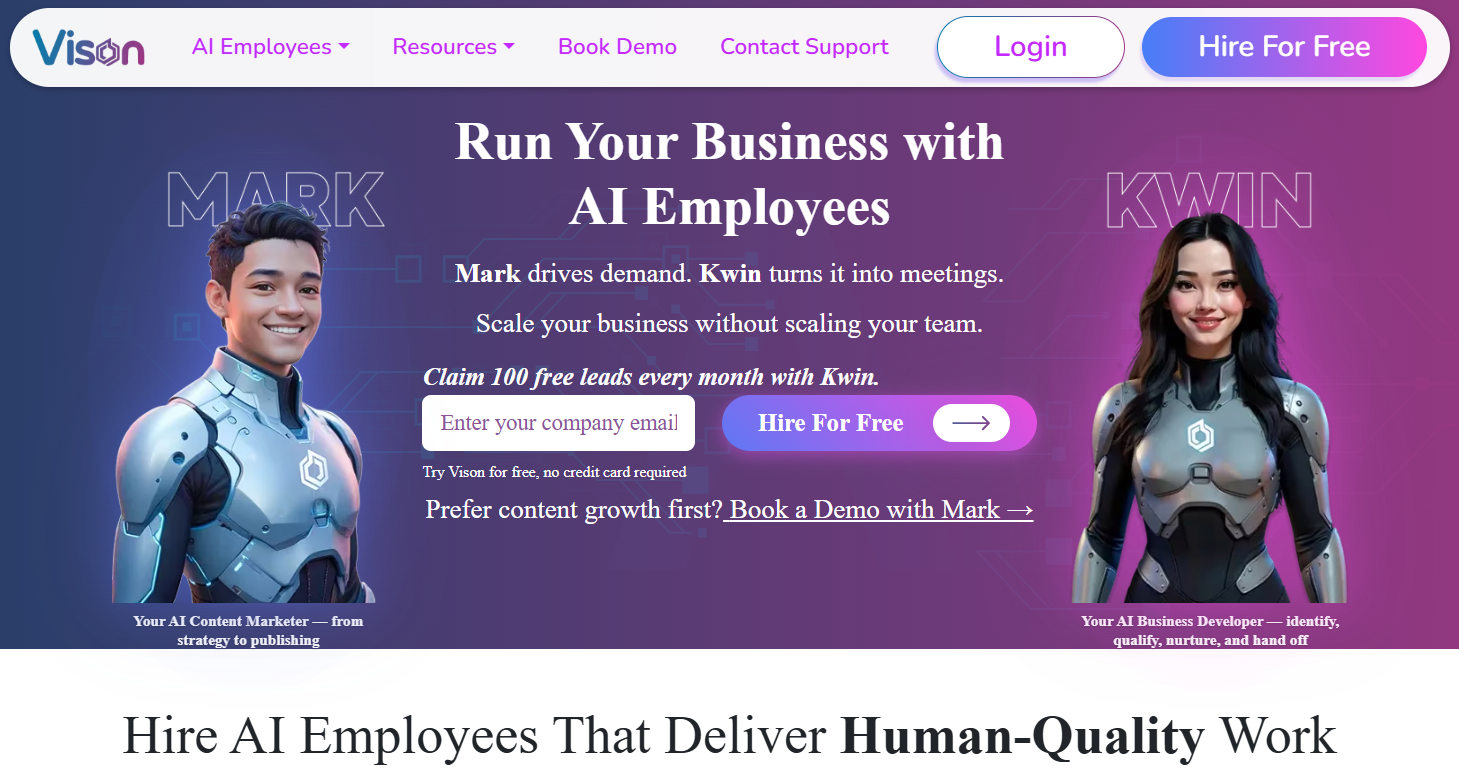
Kwin helps close that gap. Instead of simply showing you who visited, it identifies the right people and companies, understands their buying intent, and helps start a sales conversation while their interest is still fresh.
Why choose us?
- Person and company identification: Identify the people and companies visiting your website across 175+ countries, with details such as names, job titles, work emails, LinkedIn profiles, phone number, industry, and revenue.
- ICP Fit and Purchase Intent scoring: See which visitors match your ideal customer profile and which ones are showing stronger buying interest.
- Behaviour analysis: Use the User Activity tab to see what identified visitors viewed and how they interacted with your website.
- Automated personalized outreach: When a visitor meets your criteria, Kwin can send a personalized email and handle positive replies to keep conversations moving.
- Buying signals beyond your website: Kwin Signals helps you find buying activity from sources outside your website, giving your team more context on potential buyers.
- Smart traffic filters: Filter visitors by country, page, industry, company size, and lead type to focus only on relevant prospects.
- Instant sales handoff: Send qualified leads directly to Slack or your CRM so your sales team can follow up without delay.
- Free to get started: Kwin’s free plan includes 100 leads per month with no credit card required, so you can test it on your own website traffic.
Book a demo with Kwin and see how you can turn high-intent website visitors into qualified sales opportunities.
Conclusion
Your best prospects may already be on your website, but most leave without filling out a form. How to Identify Anonymous Website Visitors helps you identify the right people, understand their intent, and act while they are still interested.
We hope this guide helped you understand how visitor identification works and what to look for in a platform. The goal is simple: turn anonymous traffic into qualified sales opportunities.
Ready to turn more website visitors into meetings? Hire Kwin For Free and start with 100 identified leads every month, with no credit card required.