
TL;DR
Core Problem: Almost every person researching your product or service leaves your site without filling in a form. Your analytics count them. It never names them.
Direct Answer: The short version of how to identify website visitors runs in five moves. Install a pixel, capture behavioural signals, resolve those signals to a company through IP intelligence, resolve them to a person through identity graphs, then score fit and intent before you reach out.
Verdict: Company-level tools name the logo and leave your reps to guess the human. Kwin by Vison AI names the person, scores them, writes the email, and hands the reply to your team. That is the difference between a dashboard and a pipeline.
Every day, potential customers visit your website to compare solutions, check pricing, and evaluate your business. Most leave without filling out a form.
That means your best prospects often remain anonymous, even though they're actively looking for a solution.
Fortunately, a website visitor identification tool makes it possible to uncover who is visiting your site and reach them before they move to a competitor.
The challenge is choosing the right tool and approach.
In this guide, you'll learn:
- What website visitor identification is and how it works
- Why most website visitors remain anonymous
- The different methods used to identify website visitors
- Realistic match rates and what vendors don't tell you
- Whether visitor identification is legal and GDPR compliant
- How to set up website visitor identification step by step
- The best website visitor identification tools compared
- Common mistakes to avoid
- How to measure success after implementation
- How to turn anonymous visitors into qualified sales opportunities
By the end of this guide, you'll know exactly how to identify website visitors, choose the right software, and convert anonymous traffic into a real pipeline instead of watching potential customers disappear.
What Is Website Visitor Identification?
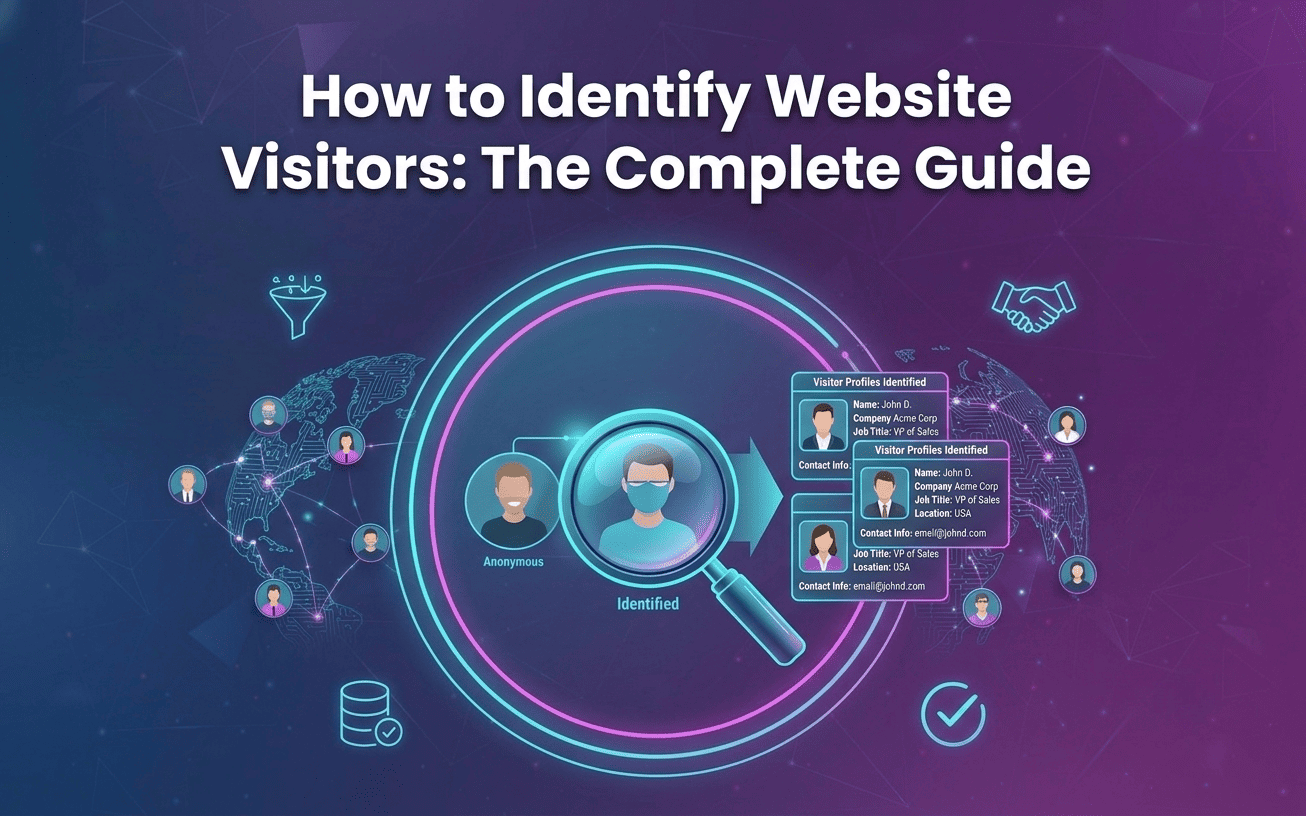
Website visitor identification is the process of turning anonymous website visitors into identifiable companies or people without requiring them to fill out a form.
It works by collecting browser and website activity signals, then matching them with business data to identify who visited your site.
This process is also called deanonymization. Instead of seeing an anonymous page view in your analytics, you can see details like the visitor's company, job title, work email, and other business information, making it easier for your sales team to reach out.
Why Identifying Website Visitors Matters
Here are some major reasons why identifying website visitors matters the most:
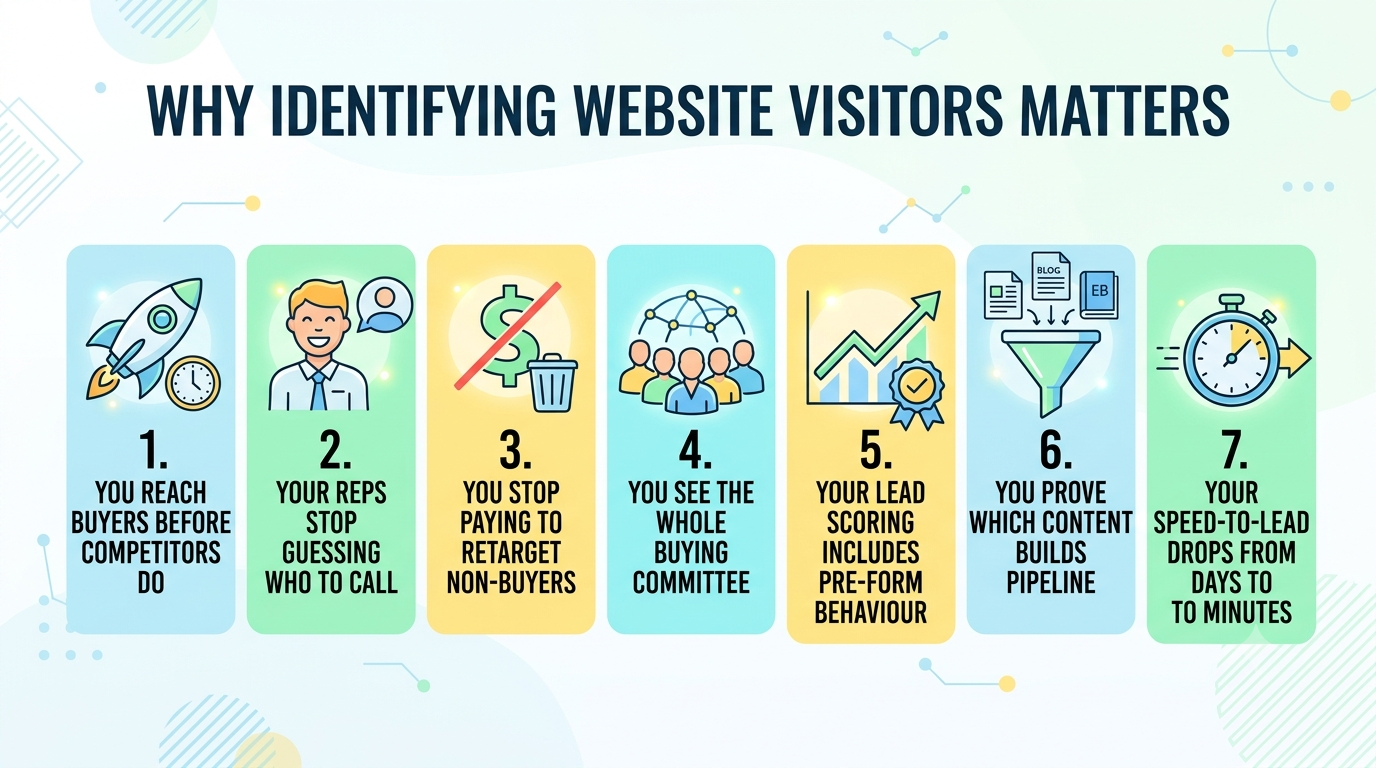
1. You Reach Buyers Before Your Competitors Do
A visitor on your pricing page is in-market right now, and almost certainly on two competitor sites this week. Whoever opens the conversation first shapes the criteria the deal gets judged on. Identification lets you be first, because you learn about the interest while it is still alive.
2. Your Reps Stop Guessing Who to Call
Hand a rep "Acme Corp visited" and you have handed them homework. They open LinkedIn, guess at five job titles, and burn an afternoon before sending anything. Hand them a name, a title, and the exact pages that person read, and the first touch writes itself. That is the whole productivity argument in one sentence.
3. You Stop Paying to Retarget People Who Will Never Buy
Broad retargeting sprays budget across students, job seekers, competitors, and vendors. None of them will ever sign. Once you can see who is actually landing, you can suppress the low-fit traffic. The same budget then goes behind accounts that match your ICP. Your return lifts without a single new campaign.
4. You See the Whole Buying Committee, Not One Contact
B2B deals are decided by groups, not individuals. When four people from one account read your security page, your docs, and your pricing inside a fortnight, a committee is forming. Company-level tools show a spike. Person-level identification shows the four names and their roles.
5. Your Lead Scoring Finally Includes Pre-Form Behaviour
Most scoring models start counting the moment someone converts, so they ignore the research phase entirely. That is backwards, because research is where intent is clearest. Identification feeds pre-form behaviour into your model, so leads arrive scored on what they read rather than what they typed.
6. You Prove Which Content Actually Builds Pipeline
Traffic reports reward the posts that attract volume. Identification rewards the posts that attract buyers. Trace a named VP from a specific blog post through to a demo request, and the picture sharpens. You learn which content deserves budget and which just decorates your organic numbers.
7. Your Speed-to-Lead Drops From Days to Minutes
Intent decays faster than most teams expect. A visitor who was hot on Tuesday has usually picked a shortlist by Friday. Manual research adds days to your response time, and those days are where deals go quiet. Automated identification collapses that gap.
Also Read: Who Is Visiting My Website? How to Turn Anonymous Traffic Into Leads
How Website Visitor Identification Tools Actually Works
Website visitor identification may sound complex, but the process is straightforward. It captures website activity, matches it with business data, and turns anonymous visitors into qualified leads.
Here's how it works:
Stage 1: Install a Tracking Pixel
The process starts with a small tracking pixel installed on your website through the site header or Google Tag Manager.
When someone visits your site, it collects technical details like the IP address, browser, device type, referral source, and timestamp.
Stage 2: Track Visitor Behavior
The pixel records how visitors interact with your website, including the pages they view, time spent, clicks, scroll depth, and return visits.
This behavioral data helps identify whether someone is casually browsing or actively researching your solution.
Stage 3: Identify the Company
The visitor's IP address is matched against business databases to identify the company behind the visit.
If there's a match, the platform also enriches the profile with details like industry, company size, revenue, and location.
Stage 4: Identify the Person
Advanced tools go a step further by using identity resolution to match browser signals with business profiles.
This can reveal the visitor's name, job title, work email, LinkedIn profile, and other professional details with confidence.
Stage 5: Enrich the Visitor Profile
After identification, the platform adds additional business information such as department, seniority, phone number, and company details from multiple trusted data sources.
Stage 6: Score Fit and Buying Intent
The identified visitor is then scored based on two key factors:
- ICP Fit Score: How closely they match your ideal customer profile.
- Purchase Intent Score: How likely they are to buy based on their website activity.
These scores help sales teams focus on the most valuable visitors first.
8 Methods to Identify Website Visitors
Here are eight methods to identify website visitors:
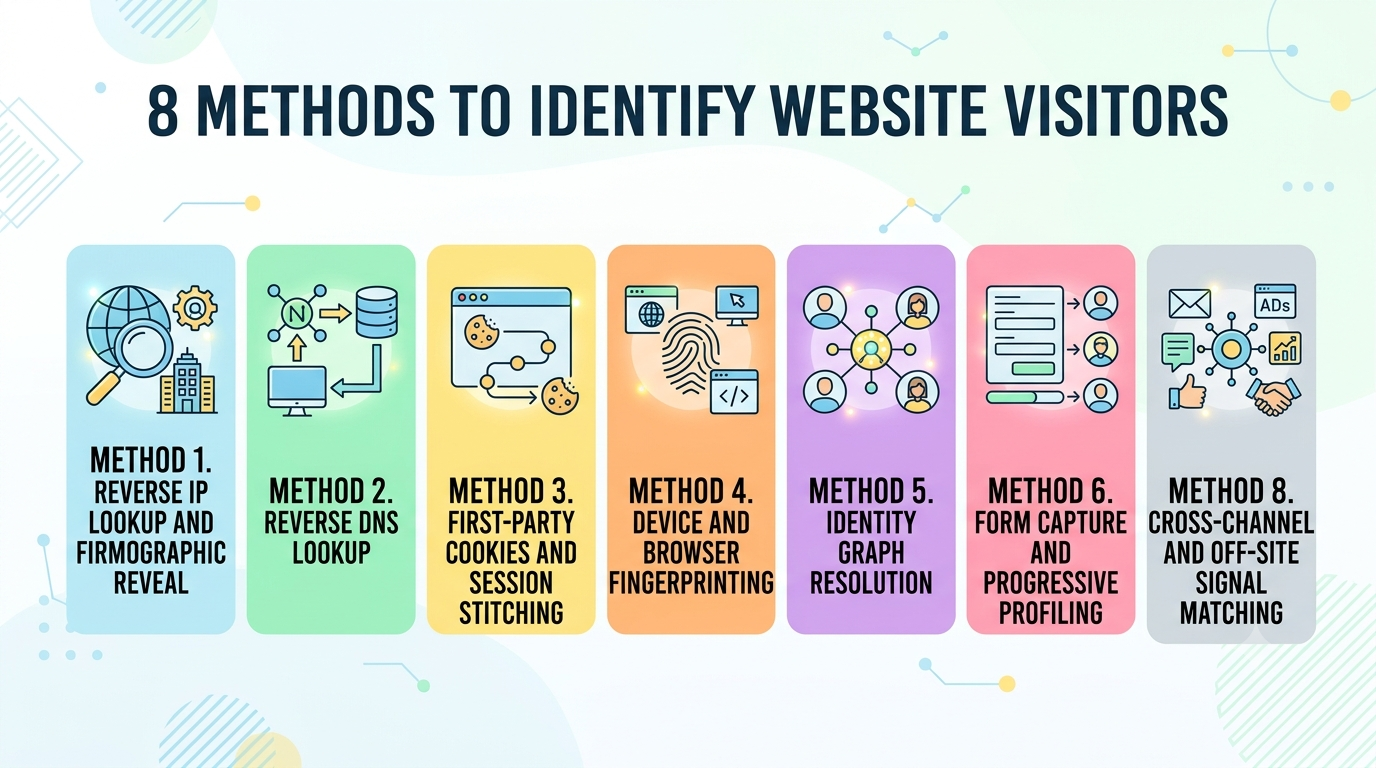
Method 1. Reverse IP Lookup and Firmographic Reveal
The oldest method in the category. You take the visitor's IP, look it up in a company database, and get the organisation that owns it. It works well for medium and large companies with registered ranges. It reveals a logo, never a human, and it degrades badly the moment your buyer works from a kitchen table.
Method 2. Reverse DNS Lookup
A lighter cousin of IP lookup. You query DNS records for the domain attached to an IP address. Some organisations publish clear entries that make identification simple, while many route through generic ISP records that reveal nothing. It costs little and delivers correspondingly thin results.
Method 3. First-Party Cookies and Session Stitching
First-party cookies still work, and they are what lets you recognise a returning visitor and connect their sessions into one timeline. They do not name anyone. What they give you is continuity, which turns four disconnected visits into one escalating pattern of interest that a scoring model can actually read.
Method 4. Device and Browser Fingerprinting
Fingerprinting builds an identifier from browser configuration, installed fonts, screen resolution, and similar technical attributes. It survives a cookie clear and works without cookies at all. On its own, it recognises a device rather than a person, so it is a component of identification rather than an answer to it.
Method 5. Identity Graph Resolution
This is the method behind every genuine answer to how to identify website visitors at person level. Captured signals are matched against graphs linking devices, hashed identifiers, and professional profiles into persistent identities. It is the only method here that reliably returns a name and a work email.
Method 6. Form Capture and Progressive Profiling
Form capture records what someone types before they abandon a form, which recovers visitors who nearly converted. Progressive profiling asks for one extra field per visit instead of nine upfront. Both work, both are consent-based, and both only ever reach the small slice of people willing to type something.
Method 7. Consented Identity Capture
Chat widgets, gated content, webinar registrations, and social logins all trade something of value for an identity the visitor hands over willingly. The data quality is excellent because it comes straight from the source. The volume is small, and it skews toward people who were already comfortable talking to you.
Method 8. Cross-Channel and Off-Site Signal Matching
When a visitor clicks through from your email or your ads, you can connect that anonymous session to the identity behind the click. Some platforms extend this to research on review sites. It widens the picture beyond your domain, and it needs consistent tracking parameters everywhere.
Also Read: Benefits of Identifying Website Visitors
How to Identify Website Visitors: A 7-Step Setup
Follow these seven steps to start identifying anonymous website visitors and turning them into qualified sales opportunities:
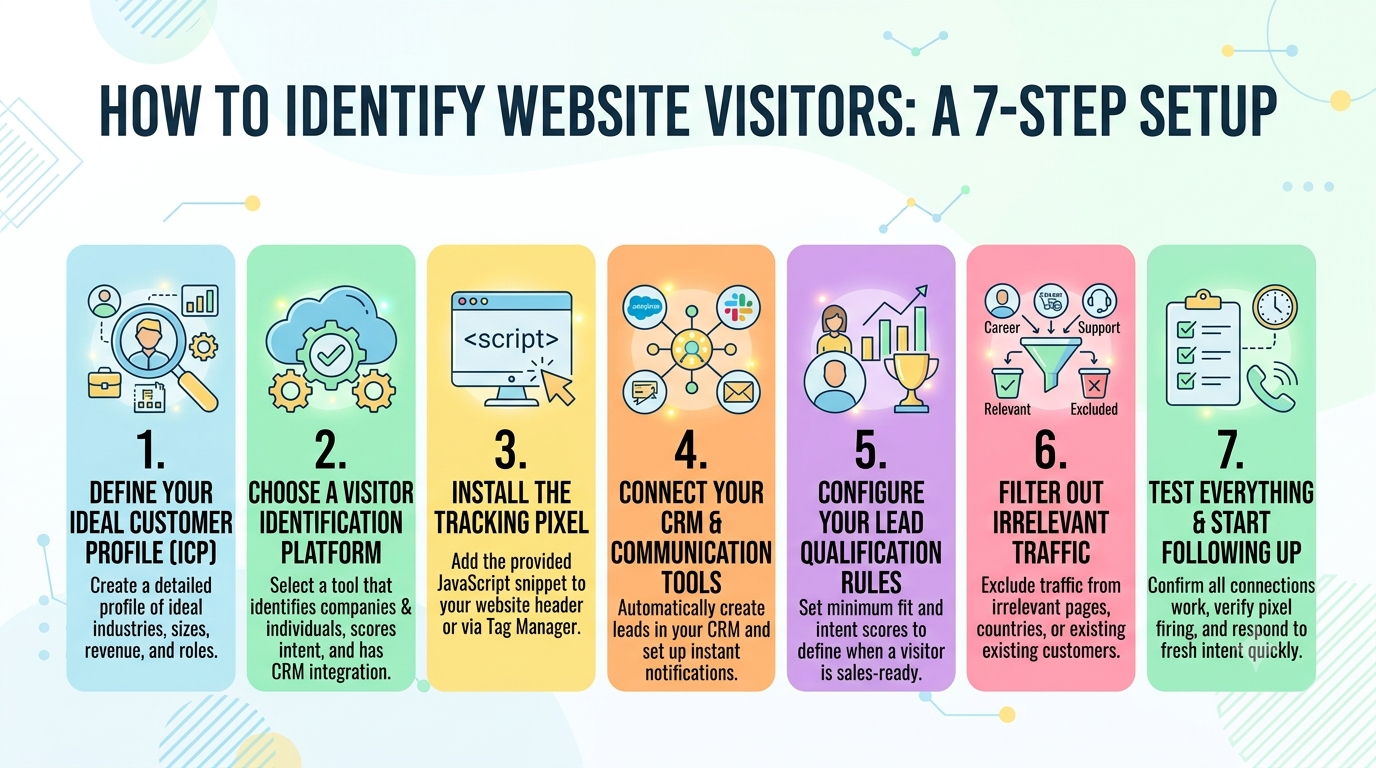
1. Define Your Ideal Customer Profile (ICP)
Before installing any tool, decide who you actually want to identify. Write down the industries, company sizes, revenue ranges, locations, and job titles that match your ideal customer.
This step is important because every visitor your platform identifies will be compared against this profile. A clear ICP gives you better-quality leads and fewer distractions.
2. Choose a Visitor Identification Platform
Next, choose the platform that will identify your website visitors.
Look for a solution that identifies both companies and individual decision-makers, scores buying intent, and integrates with your CRM. Otherwise, your team will still spend time researching every lead manually.
If you're planning to use Kwin, simply create a free account. Registration takes just a few minutes, requires no credit card, and includes 100 identified leads every month. During setup, Kwin learns about your business by scanning your website, so you're ready to move to the next step quickly.
3. Install the Tracking Pixel
After creating your account, install the tracking pixel on your website. Most platforms provide a small JavaScript snippet that you can add to your site header or through Google Tag Manager.
With Kwin, installation takes about five minutes and doesn't require a developer. Before moving on, visit your website once to make sure the pixel is firing correctly on every important page.
4. Connect Your CRM and Communication Tools
Now connect your CRM so identified visitors automatically become leads instead of staying inside another dashboard.
If your platform supports it, also connect Slack for instant notifications and your email account for outreach. Kwin connects with Gmail, Outlook, and SMTP/IMAP, allowing emails to be sent directly from your own business domain.
5. Configure Your Lead Qualification Rules
Not every visitor deserves a sales email. Set rules that define when someone becomes sales-ready.
For example, with Kwin, you can set minimum ICP Fit and Purchase Intent scores. This ensures only visitors who match your business and show genuine buying intent move into your sales workflow.
6. Filter Out Irrelevant Traffic
Next, remove visitors who are unlikely to become customers. Exclude careers pages, support pages, existing customers, competitors, or countries you don't serve.
The cleaner your traffic, the higher the quality of your identified leads and the less time your sales team spends filtering them manually.
7. Test Everything and Start Following Up
Finally, test your setup. Visit your own website and confirm that the visit appears in your dashboard. Check that CRM records, Slack notifications, and email integrations are working properly.
Once everything is live, your job is simple: respond quickly. Whether you reach out manually or let a platform like Kwin automate the first touch, acting while buying intent is still fresh gives you the best chance of starting a conversation before your competitors do.
5 Best Tools to Identify Website Visitors
Here are five of the best website visitor identification tools to check:
Let’s describe each tool in detail.
1. Kwin by Vison AI
Kwin is much more than a website visitor identification tool. Instead of simply showing you who visited your website, she works like an AI Business Developer that helps turn those visitors into sales opportunities.
Most visitor identification tools stop after revealing the visitor's identity. Your team still has to research the lead, write an email, and follow up manually. Kwin handles the entire process. She identifies the visitor, qualifies them based on your criteria, writes a personalized email, sends it from your own domain, and notifies your team as soon as the visitor replies.
Kwin identifies 60 to 70% of website visitors at both the company and person level across 175+ countries. Each identified visitor includes valuable information such as their name, work email, phone number, LinkedIn profile, company, industry, revenue, and location.
To help your sales team focus on the right prospects, Kwin uses two separate scores. The ICP Fit Score measures how closely a visitor matches your ideal customer profile, while the Purchase Intent Score shows how likely they are to buy. You decide the minimum score for each, and Kwin only reaches out when a visitor meets your requirements.
Getting started takes about five minutes. Simply install the tracking pixel through your website header or Google Tag Manager. Kwin then learns about your business by analyzing your website, connects with Gmail, Outlook, or SMTP/IMAP, and starts identifying and engaging qualified visitors automatically.
Kwin also helps improve lead quality by filtering out unwanted traffic. You can exclude visitors based on countries, pages, or even public sector and government organizations, so your team only spends time on prospects that matter.
Key features:
- Person and company identification: 60 to 70% match rate across 175+ countries, with names, work emails, phone numbers, and LinkedIn profiles.
- Dual scoring: ICP fit score and Purchase Intent score calculated separately from behaviour and firmographics.
- Threshold-based triggers: You set the minimum scores, and Kwin acts only once a lead crosses them.
- Autonomous nurture: Personalised email sequences sent from your own domain, referencing what the visitor actually read.
- Positive-reply handling: The full thread plus a short summary lands in your inbox, with the lead pushed to Slack and your CRM.
- Traffic filters: Country-level and page-level filtering, including exclusion of public sector and government traffic.
- Compliance: SOC 2 Type II, GDPR, CCPA, ISO 9001:2015, ISO 27001:2022, built on publicly available business data.
Pros
- Only tool here that closes the loop from anonymous visit to booked meeting without a human in the middle
- Person-level identification across 175+ countries rather than a US-only footprint
- Lead Watcher plan is free forever with 100 leads a month and no credit card
- Five-minute no-code setup, with the knowledge base built automatically from your site
Cons
- LinkedIn outreach is in development rather than shipping today
- Built to convert inbound website traffic, so it is not a static database for bulk cold outbound
- Asks sales leaders to trust an AI employee with the first touch, which is a genuine mindset shift
Pricing model: Lead Watcher is free forever with 100 leads a month and no credit card. Win+ gives you end-to-end automation of the AI Business Developer.
Where Kwin wins: Every other tool on this list ends its job at the reveal. Kwin's job starts there.
Hire Kwin For Free and identify your visitors this week, no credit card required.
2. RB2B
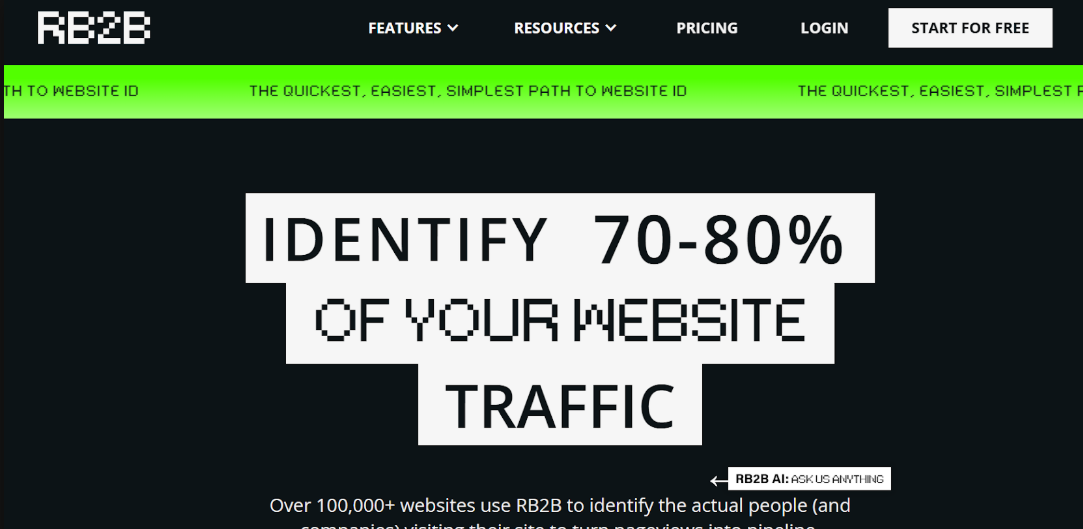
RB2B built its reputation on person-level identification delivered straight into Slack, and it does that one job cleanly. You install a script, and named visitors appear in a channel with their title, company, LinkedIn profile, and the page they landed on.
The constraint is geographic and absolute. RB2B tracks United States traffic only, and states plainly that GDPR does not apply because it does not process European traffic. For a US-only business, that is a clean design decision. For anyone selling internationally, it is a wall.
Key features:
- Person-level reveals: Name, title, company, email, LinkedIn profile, and page visited.
- Slack-native delivery: Real-time alerts into the channel your team already lives in.
- Free plan: A genuinely usable free tier after the trial period ends.
Pros
- Person-level identification rather than company-only, which most competitors cannot match
- Slack delivery makes adoption effortless for sales teams
- Free plan is real rather than a demo in disguise
Cons
- United States traffic only, so international visitors are invisible
- Alerts stop at notification, leaving research, writing, and sending to your reps
- No autonomous nurture, so speed-to-lead still depends on human availability
Pricing model: Start with the free plan that includes 150 credits per month. Paid plans begin at around $149/month, with flexible pay-as-you-go credit options available.
Where Kwin wins: RB2B names people in one country and then stops. Kwin names them across 175+ countries and sends the email. See the full Kwin and RB2B comparison for the details.
3. Leadfeeder
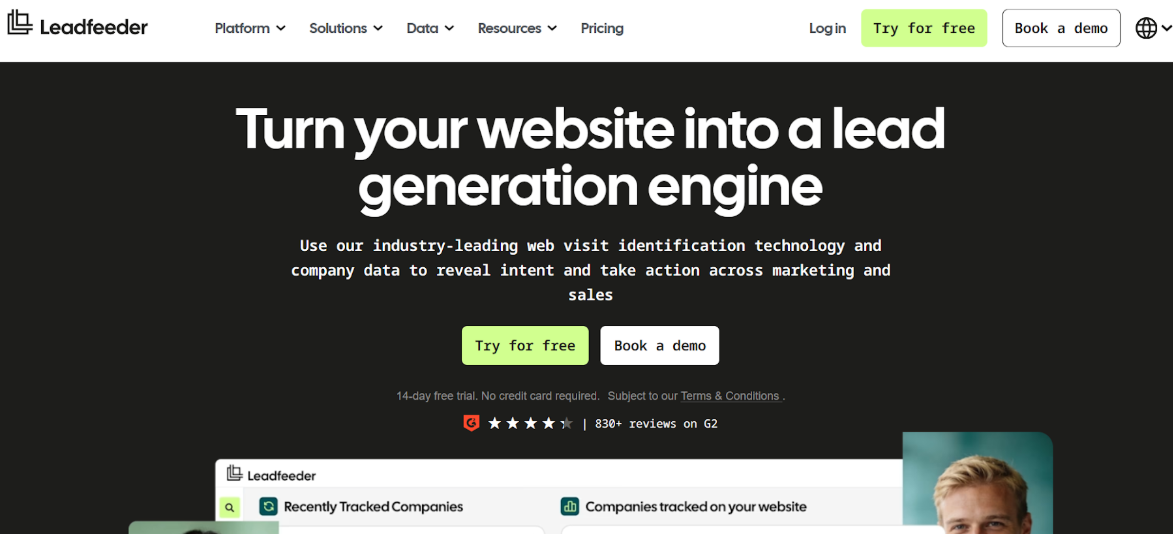
Leadfeeder, now consolidated with Dealfront under the Leadfeeder brand, is among the most established company-level tools here. Its European data coverage is particularly strong. Its dashboard shows which companies visited, what they read, and how often they came back.
Custom feeds and filters are its real strength. You can slice visitors by behaviour, acquisition source, or company attributes, then tag them to mirror your sales process. What it will not do is name the person, which leaves your reps doing the identification work by hand.
Key features:
- Company identification: Reveals visiting organisations with firmographics and behaviour.
- Custom feeds: Filter by behaviour, acquisition, and company info, then tag against your pipeline stages.
- CRM integrations: Salesforce, HubSpot, Pipedrive, Zoho, and Microsoft Dynamics.
Pros
- Strong European B2B data coverage where US-centric vendors are weak
- Custom feeds and tagging map neatly onto an existing sales process
- Mature integrations with every major CRM
Cons
- Company-level only, so the individual behind the visit stays anonymous
- No outreach automation, meaning every identified account still needs manual research
- Contact suggestions are inferred from the company rather than from the actual visitor
Pricing model: Free plan includes up to 100 companies per month. Paid plans start at around $99/month (billed annually).
Where Kwin wins: Leadfeeder tells you a company arrived. Kwin tells you which person arrived, then talks to them.
Also Read: Leadfeeder Alternatives: Top 10 Tools for Website Visitor Identification
4. ZoomInfo WebSights
ZoomInfo is a sales intelligence database first and a visitor identification tool second. WebSights is the module that reveals which companies are on your site, and it plugs into one of the largest B2B contact databases available.
For teams already paying for ZoomInfo, WebSights is a sensible addition. As a standalone answer to visitor identification, it is expensive. Reviewers also flag the same friction points again and again.
Key features:
- Company-level visitor identification: Reveals organisations and their browsing patterns.
- Intent assignment: Score pages as high or medium intent, then let the platform rank visitors.
- Database depth: Access to extensive contact and firmographic records for follow-up.
Pros
- Contact database depth is genuinely best in class, particularly for US phone numbers
- Intent assignment by page gives reps a usable prioritisation signal
- Plug-and-play integrations automate CRM record creation
Cons
- Steep learning curve that new users take weeks to climb
- Location-level data gaps despite strong company-wide coverage
- Company-level identification only, with annual contracts and no meaningful free entry point
Pricing model: No public pricing. Enterprise plans typically start at around $10,000/year.
Where Kwin wins: ZoomInfo sells you a database and asks your team to work on it. Kwin identifies the person on your site and works for you. Our ZoomInfo alternatives breakdown covers the full comparison.
5. Warmly
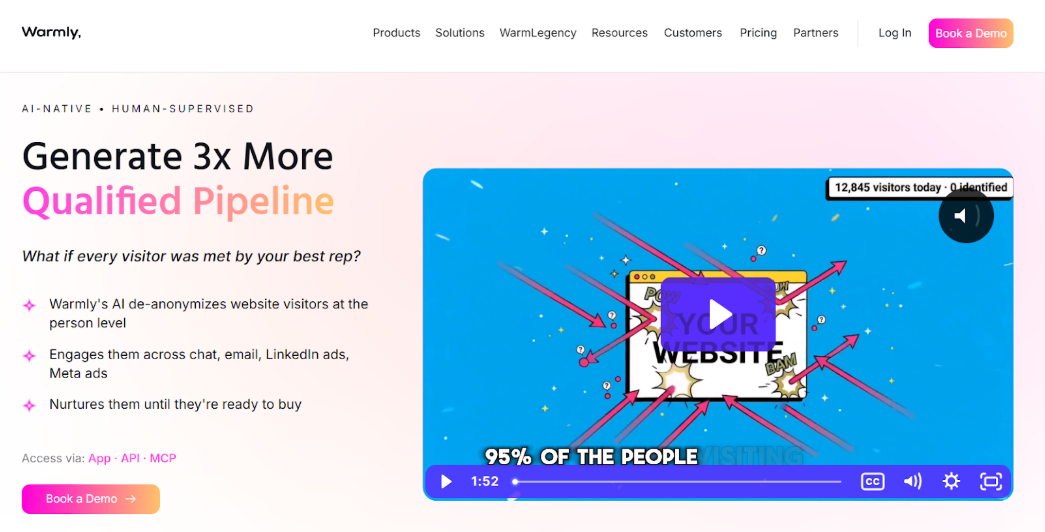
Warmly sits between visitor identification and revenue orchestration. It reveals visitors in real time, matches them to LinkedIn profiles, and layers on chat and sequences so your team can act inside one platform.
It is one of the few competitors attempting person-level identification alongside company data, which is genuinely to its credit. The honest caveat is coverage, because person-level reveals are a small fraction of total identification. Pricing also sits at the higher end of the category.
Key features:
- Real-time alerts: Immediate notification when target accounts land on your site.
- LinkedIn matching: Automatic profile matching gives reps context before they reach out.
- Orchestration: Chat, sequences, and CRM sync inside one platform.
Pros
- Accurate company and contact data, consistently praised by reviewers
- LinkedIn profile matching gives reps immediate context
- Configuration is flexible enough to test new ABM approaches quickly
Cons
- No CRM integrations on the free plan, which limits any serious trial
- Pricing sits notably above competitors for comparable identification volume
- Person-level identification covers only a small share of visitors, well below company-level rates
Pricing model: Free plan available, with paid plans starting at approximately $499/month.
Where Kwin wins: Warmly identifies a minority of individuals and orchestrates around the rest. Kwin identifies 60 to 70% at the person and company level, then runs the outreach herself. See Kwin vs Warmly side by side.
Now that you have seen these tools, let us look at how to pick the right one for your funnel.
How to Choose the Right Website Visitor Identification Software
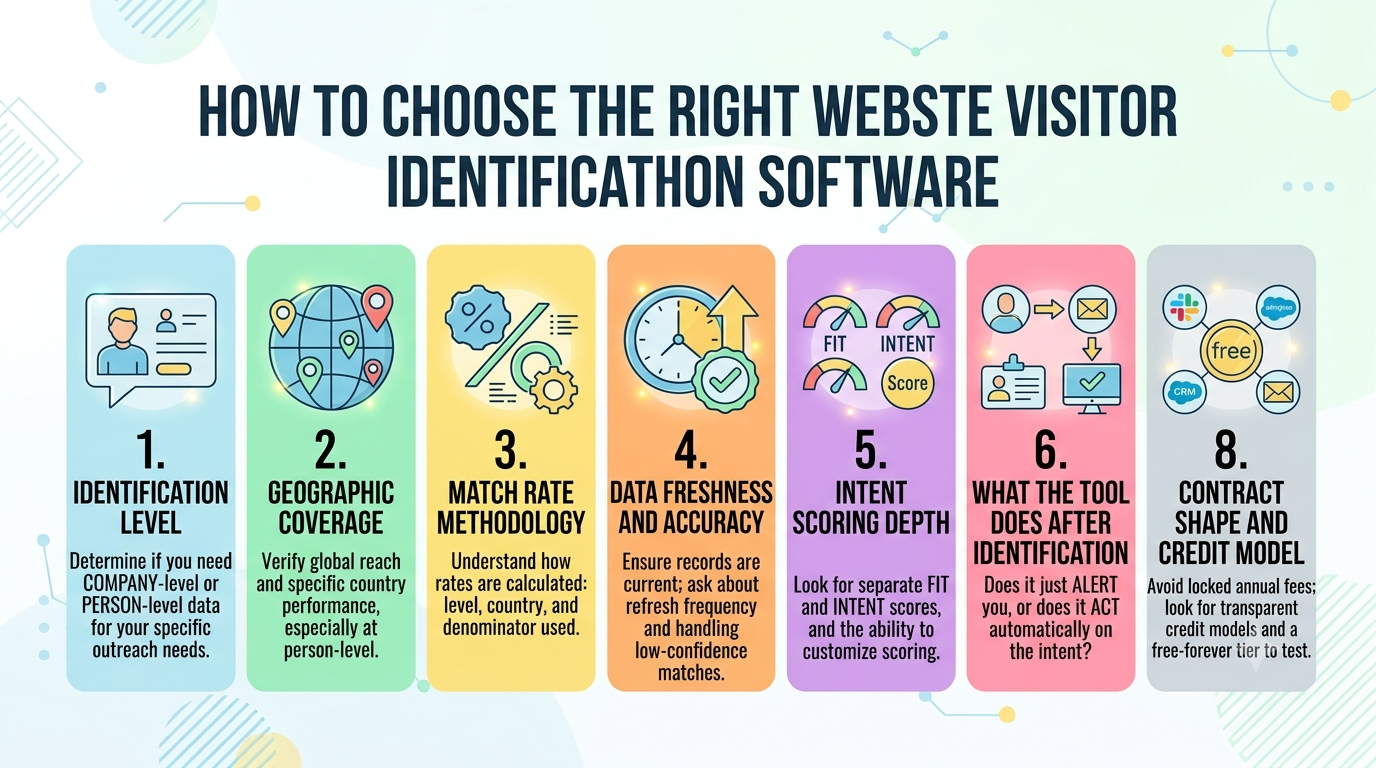
Eight questions separate a tool that truly answers how to identify website visitors from one that decorates your stack. Ask all of them before you sign anything.
1. Identification Level
Start here, because everything else depends on it. Company-level suits ABM and ad suppression. Person-level suits direct outreach. If your motion is a rep sending a relevant email, company-level data is not a cheaper version of what you need. It is a different product.
2. Geographic Coverage
Ask which countries the tool identifies at person level, not just where it works. Some vendors track one country. Others drop to company-level outside their home market. If you sell globally, a US-only footprint quietly deletes most of your funnel.
3. Match Rate Methodology
Never accept a match rate without asking how it was calculated. At which level, in which countries, and against which denominator? A vendor claiming very high rates without methodology is either measuring company-level or counting loose probabilistic guesses as matches.
4. Data Freshness and Accuracy
An identified visitor with a job title from two years ago is worse than no data, because your rep will use it. Ask how often records refresh, how conflicts between sources get reconciled, and what the vendor does with low-confidence matches. Discarding them is the right answer.
5. Intent Scoring Depth
Look for two scores, not one. Fit and intent measure different things, and a single blended number hides exactly the distinction you need. Ask whether you can set thresholds yourself, and whether scoring reads actual page behaviour or just counts visits.
6. What the Tool Does After It Identifies Someone
This is the question that reorders every shortlist. Does it alert, or does it act? An alert still needs a human to research, write, and send. Acting means the outreach happens automatically while the intent is live, which is the entire point.
7. Integration and Routing
Identification data has to land where your team already works, or nobody will look at it. Check for native Slack alerts, CRM sync that creates and updates records, and the ability to send from your own domain. Anything routed through a middleware layer will break quietly, and you will find out weeks later.
8. Contract Shape and Credit Model
Look past the headline number at the shape of the deal. Annual contracts with platform fees lock you in before you have proof. Credit models that charge separately to reveal, enrich, and email turn one lead into three line items. A free forever tier lets you prove value on your own traffic first.
How to Measure Whether Visitor Identification Is Working
Track these key metrics to determine whether your visitor identification strategy is generating qualified leads, sales opportunities, and measurable revenue.
- Identification Rate: Measure the percentage of anonymous visitors your platform successfully identifies. Track both company-level and person-level matches to understand overall identification accuracy.
- Person Level Match Rate: Measure how many identified visitors are actual decision makers instead of just company names. A higher match rate reduces manual research and helps sales teams engage the right people faster.
- ICP Qualified Match Rate: Track the percentage of identified visitors that match your Ideal Customer Profile. This metric shows whether your website is attracting high-value prospects rather than simply generating more traffic.
- Speed to Lead: Measure how quickly your sales team contacts qualified visitors after they are identified. Faster follow-up increases the likelihood of starting meaningful sales conversations.
- Reply Rate on Identified Outreach: Compare the reply rate of emails sent to identified visitors with your standard cold outreach campaigns. Higher reply rates indicate your outreach is more relevant and aligned with buyer intent.
- Meetings Booked From Identified Visitors: Track the number of sales meetings generated from visitors who never submitted a form. This helps measure the value of opportunities that traditional lead generation would have missed.
- Pipeline and Revenue Influenced: Measure the pipeline value and closed revenue generated from identified website visitors. This is the strongest indicator of whether your visitor identification investment is delivering real business results.
How Kwin Identifies Website Visitors and Books the Meeting
Everything above describes how to identify website visitors properly. Kwin is what that looks like when one system does the whole job. Most stacks split this across four tools that each do a quarter of it.
She is an AI Business Developer from Vison AI, and she runs a workflow rather than a dashboard. She identifies the visitor, then qualifies them against your ICP and their purchase intent.
She nurtures them from your own domain, and hands off the moment someone replies. Our deep dive on how Kwin identifies anonymous website visitors walks through each stage.
What makes Kwin stand out?
- Person and company identification at 60 to 70%, across 175+ countries, returning names, work emails, phone numbers, LinkedIn profiles, and full firmographics.
- Two scores, not one: ICP fit and Purchase Intent, calculated separately so you can see the difference between a good fit and a ready buyer.
- A threshold you control: Kwin stays silent until a visitor crosses the minimum scores you set, which is what keeps the flow trustworthy.
- Outreach from your domain: Personalised sequences sent through your Gmail, Outlook, or SMTP-IMAP, referencing what the visitor actually read.
- Reply handling built in: The full thread and a short summary reach your inbox, with the lead pushed to Slack and your CRM.
- Filters that protect your credits: Country-level and page-level filtering, including public sector and government traffic.
- Compliance on the record: SOC 2 Type II, GDPR, CCPA, ISO 9001:2015, ISO 27001:2022, working only from publicly available business data.
- Proof from real teams: Infiniticube generated 2.5x more qualified leads in 45 days, with over 35% of meetings coming from non-form visitors.
Ready to Turn Anonymous Website Visitors Into Qualified Sales?
Book a free demo to see Kwin in action and identify anonymous visitors every month with no credit card required.
Conclusion
Knowing how to identify website visitors comes down to three decisions. Choose person-level over company-level, because you sell to people and not to logos.
Interrogate match rates and coverage before you believe them, because the headline number is almost always the flattering one. And insist that identification triggers an action, because a name nobody acts on is just a more expensive page view.
The tools in this guide all reveal something. Only one of them does the work afterwards.
We hope this guide helped you understand how to identify website visitors properly, from the pixel on your header to the meeting in your calendar. Now it is your turn. Install a pixel, set a threshold, and find out who has been reading your pricing page all quarter.
Hire Kwin For Free and turn anonymous traffic into booked meetings.