
TL;DR
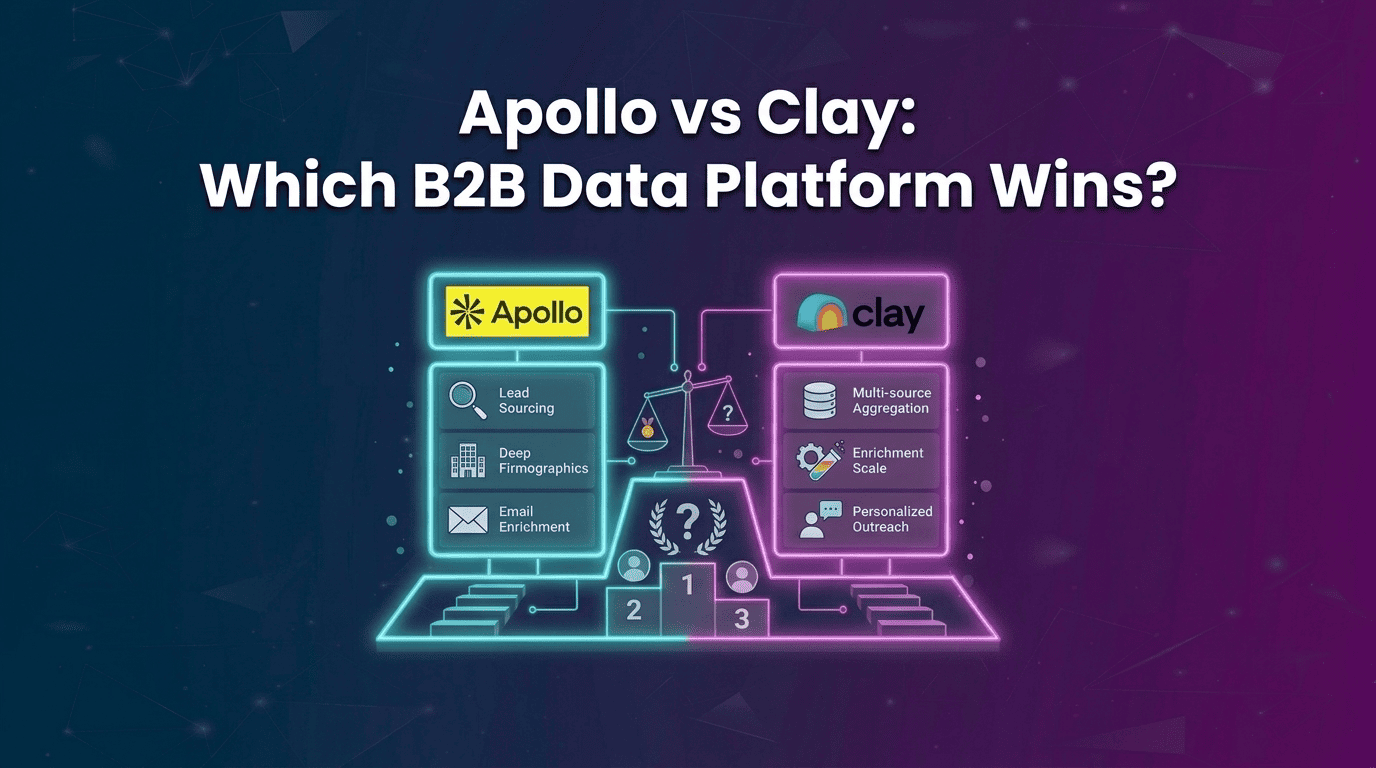
Apollo is built for fast B2B prospecting with contact data, sequencing, and a dialler, while Clay focuses on deeper B2B data enrichment, waterfall workflows, and multiple data providers. Kwin adds a different layer by identifying, qualifying, and engaging anonymous website visitors at the person and company level across 175+ countries. The right choice depends on whether you need faster outbound, richer prospect data, or more conversions from the traffic you already have.
Two revenue teams can buy the same B2B data platform and get very different results. One books meetings within weeks. The other burns credits for months and still struggles to find the right prospects.
The difference is not always the software. It is whether the tool fits the job. That is what makes the Apollo vs Clay decision difficult.
Apollo combines a B2B contact database with prospecting and outreach. Clay focuses on B2B data enrichment, using multiple providers and waterfall enrichment to build better prospect records.
But what happens when the prospect is already on your website? Your analytics can show the visit, but your sales team may still have no name, context, or way to start a conversation.
In this guide, you will learn:
- How Apollo works and where it fits
- How Clay works and how waterfall enrichment works
- Key differences in data, coverage, outreach, and workflows
- Pricing, pros, and cons of both platforms
By the end of this guide, you will know which platform fits your sales motion, when using both makes sense, and how to capture prospects your outbound tools may never find.
What Is Apollo?
Apollo puts prospecting, contact data, and outbound execution in one place. Its proprietary B2B contact database covers 240M+ contacts and 30M+ companies, so reps can find prospects and start outreach without managing multiple tools.
It combines list building, sequencing, a native dialer, enrichment, and CRM connections. For teams running broad outbound, the appeal is simple: find the right contacts and start selling from one platform.
How Apollo Works
Start with your ideal customer profile, filter contacts by title, company size, location, funding, or tech stack, and save the prospects you want. You can then move them into sequences or start calling directly.
Apollo also tracks opens, replies, and calls on the same platform. That keeps prospecting and basic outbound execution in one workflow.
Apollo's Database and Credit System
Apollo reports 240M+ contacts and 30M+ companies, with 98% email accuracy claimed on its own data pages. Its proprietary database is searchable by multiple ICP criteria.
Credits control how much data you access. Verified emails use credits, phone numbers cost more, and exports draw from the same allowance. Unused credits expire at the end of each billing cycle, making usage an important part of the real cost.
Key Features of Apollo
- B2B contact database: 240M+ contacts and 30M+ companies
- Advanced filters: Title, headcount, geography, funding, and tech stack
- Sequences: Multi-step email cadences with activity-based branching
- Native dialer: Call, record, and log conversations in Apollo
- Intent signals: Topic-level signals for potential buyer interest
- Chrome extension: Find prospect details from LinkedIn
- CRM sync: Native Salesforce and HubSpot connections
Who Is Apollo Built For?
Apollo suits small and mid-sized sales teams running broad outbound in familiar markets. It is especially useful when reps need common job titles, company data, outreach, and calling without switching between platforms.
It also works for teams without a dedicated data specialist. Phone-led teams can get added value from having contact data, a dialler, and sequences under one login.
What Is Clay?
Clay is not a traditional B2B contact database. It works as a programmable data enrichment and workflow layer, where you bring in a list and use multiple providers, AI, and logic to improve each record.
Its core feature is waterfall enrichment, which can search across 150+ providers until it finds a usable result. When standard sources come up short, Claygent can research the open web to fill in harder-to-find information.
How Clay Works
Start with a list from Sales Navigator, your CRM, a data warehouse, or a CSV. Then add columns that can call data providers, run AI research, score prospects, or apply conditions.
Once the records are enriched and verified, Clay can send them to your CRM, sequencer, Slack, or another tool. Clay handles the data workflow; your sending platform handles the outreach.
How Waterfall Enrichment Works, Step by Step
Waterfall enrichment lets Clay check multiple data sources instead of relying on one provider. You control the fields, provider order, and rules, while Clay moves through the workflow until it finds a usable result.
Step 1: Define the field: Choose what you need for each record, such as a verified email, direct dial, technographic detail, or company information.
Step 2: Order your providers: Set the providers in the order you want Clay to check them. This lets you balance data coverage, hit rate, and cost.
Step 3: Try the first provider: Clay checks the first source. If it returns a verified result, the process stops for that record.
Step 4: Fall through on a miss: If the first provider has no result, Clay moves to the next one, then the next, until it finds usable data.
Step 5: Use Claygent when providers miss: Claygent can research company websites, public profiles, news, and other web sources to find information standard providers cannot.
Step 6: Verify the result: Verify important contact data before sending it to your outreach platform. This helps prevent poor-quality records from reaching your sender.
Step 7: Route the finished record: Send the enriched record to your CRM, sequencer, Slack, or another destination so your sales workflow can take over.
Key Features of Clay
- Waterfall enrichment: Cascade across providers until a usable result is found
- 150+ integrations: Connect the data sources and tools your workflow needs
- Claygent: AI research for people and companies across the open web
- Signal tracking: Monitor job changes, funding, hiring, and web intent
- Conditional logic: Build rules, fallbacks, and row-level scoring
- Native sequencer: Run basic campaigns or connect a dedicated sender
- Unlimited seats: Usage, rather than team size, drives the core spend
Who Is Clay Built For?
Clay fits teams that need deeper B2B data enrichment than a single database can provide. It is especially useful when targeting depends on signals such as hiring, funding, technology, or other custom conditions.
It also suits agencies and teams with a RevOps or GTM owner who can build and maintain workflows. Without someone managing the tables, providers, and logic, much of Clay's flexibility can go unused.
Apollo vs Clay: Key Differences at a Glance
The fastest way to understand the difference is to look at what each platform is built to do. Apollo combines prospect data with outreach, while Clay focuses on enrichment, automation, and workflow control.
In short,
- Apollo is built for speed: find contacts, build a list, and start outreach from one platform.
- Clay is built for data quality and control, letting teams combine providers, enrichment, AI research, and custom logic before sending.
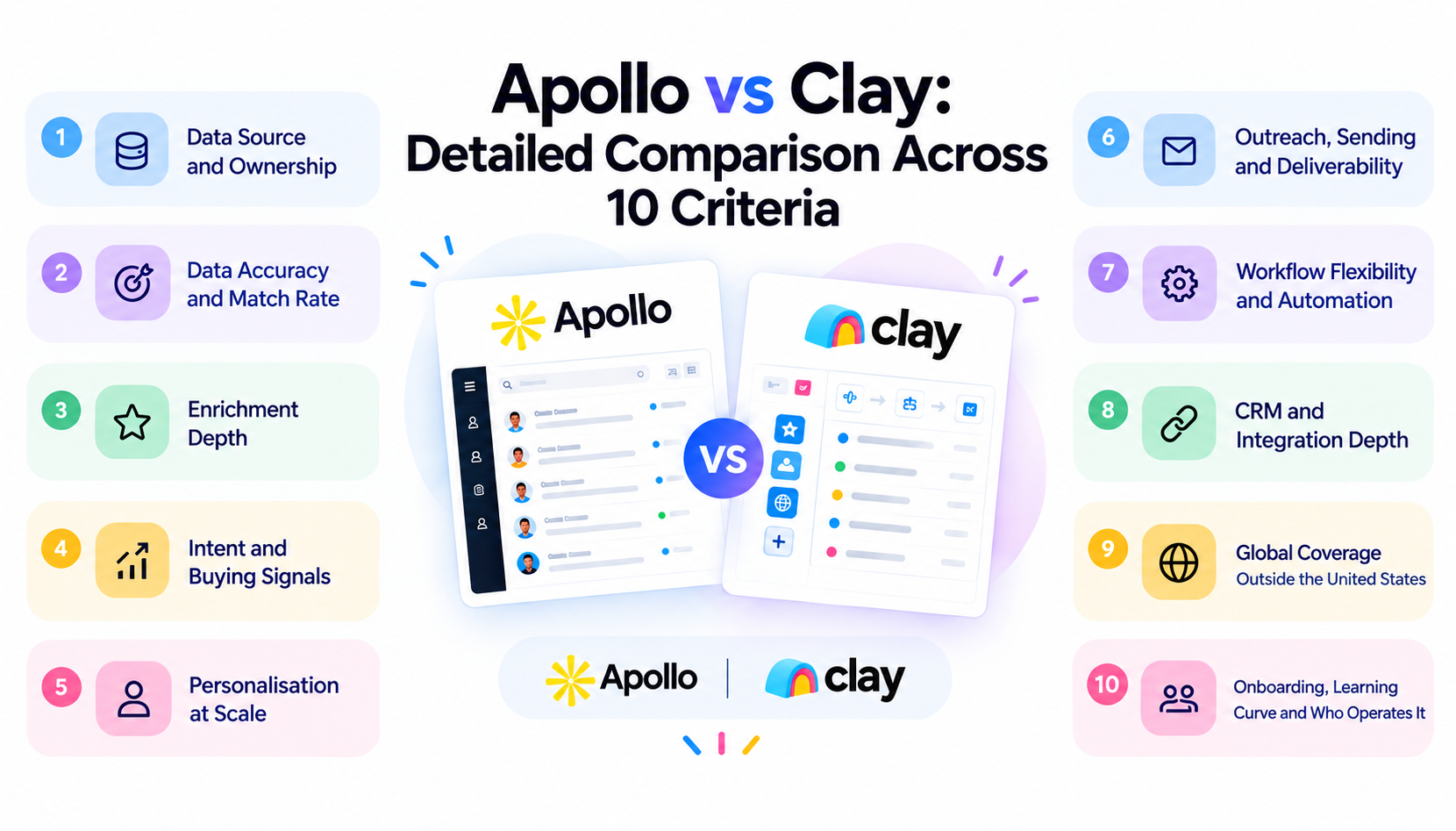
Apollo vs Clay: Detailed Comparison Across 10 Criteria
The real difference appears when you look beyond feature lists. Data ownership, enrichment, intent, outreach, integrations, global coverage, and the people needed to operate each platform can change the buying decision.
1. Data Source and Ownership
Apollo uses its own proprietary database, giving reps one searchable source for prospect and company data. That makes common searches quick and consistent.
2. Data Accuracy and Match Rate
Apollo can deliver strong results for common US-based personas, but coverage can vary across smaller companies and international markets.
Clay's accuracy depends on the providers and waterfall you configure. A well-built cascade can improve match rates, but the quality still depends on your sources and verification.
3. Enrichment Depth
Apollo handles standard firmographic and contact fields such as job title, company size, and other common prospect data.
Clay goes deeper with B2B data enrichment, allowing teams to add technographics, funding, hiring activity, and web research to the same record.
4. Intent and Buying Signals
Apollo provides topic-level intent signals that help sales teams identify accounts showing interest in a category. They can make broad prospecting lists easier to prioritise.
Clay lets teams build their own signal-based workflows around events such as new hires, funding, technology changes, or other triggers. Teams comparing dedicated platforms can also explore 6sense alternatives.
5. Personalisation at Scale
Apollo uses contact and company fields to personalise outreach with names, titles, companies, and AI-assisted messaging.
Clay adds research before the message is written. Claygent can pull useful details from websites and public sources, giving sales teams more context for personalised outreach.
6. Outreach, Sending and Deliverability
Apollo keeps prospecting and outreach together with sequences, call steps, reply handling, and reporting. That makes it practical for teams that want one outbound platform.
Clay includes a native sequencer, but many teams connect it to a dedicated sending platform. This separates enrichment from the sending infrastructure used for email deliverability.
7. Workflow Flexibility and Automation
Apollo focuses automation around the sales sequence, including timed steps, reply conditions, list movement, and prospect status.
Clay focuses more on the work before outreach. You can set rules such as trying another provider when data is missing, skipping certain records, or routing prospects based on specific fields.
8. CRM and Integration Depth
Apollo has mature native connections with Salesforce and HubSpot, making it a straightforward fit for CRM-heavy sales teams.
Clay connects with CRMs, warehouses, Slack, sequencers, and other tools through integrations, APIs, and webhooks. This gives it more workflow flexibility, but often requires more setup.
9. Global Coverage Outside the United States
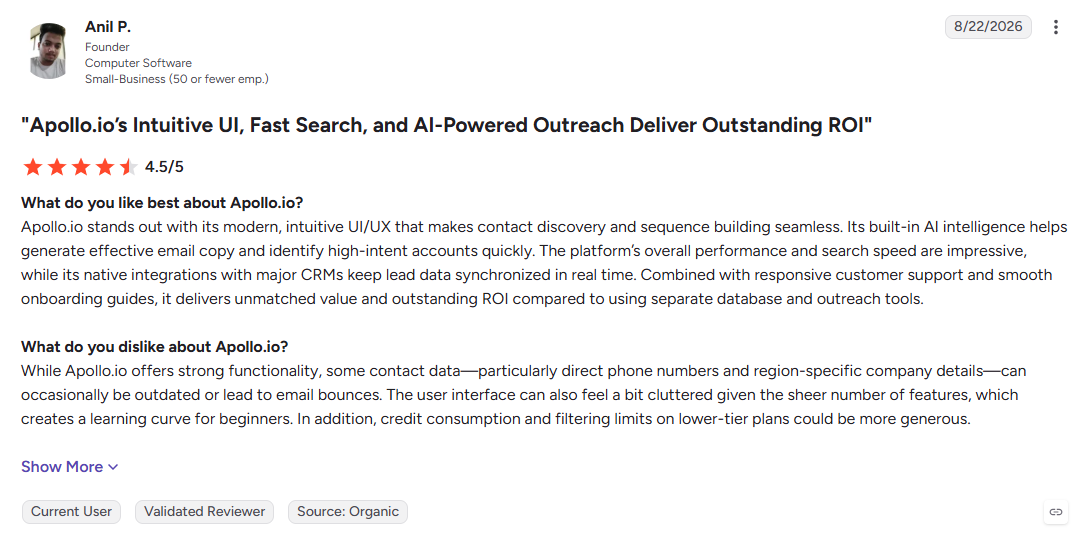
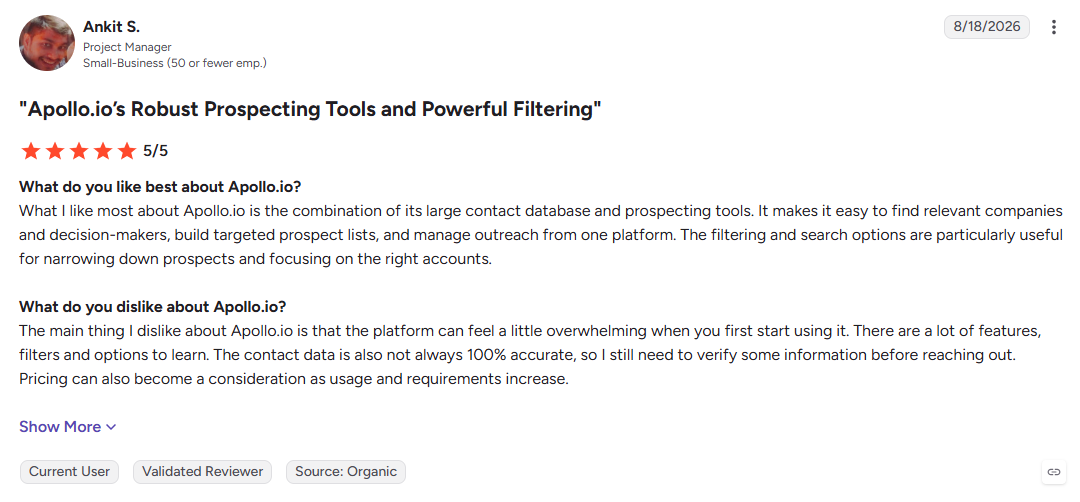
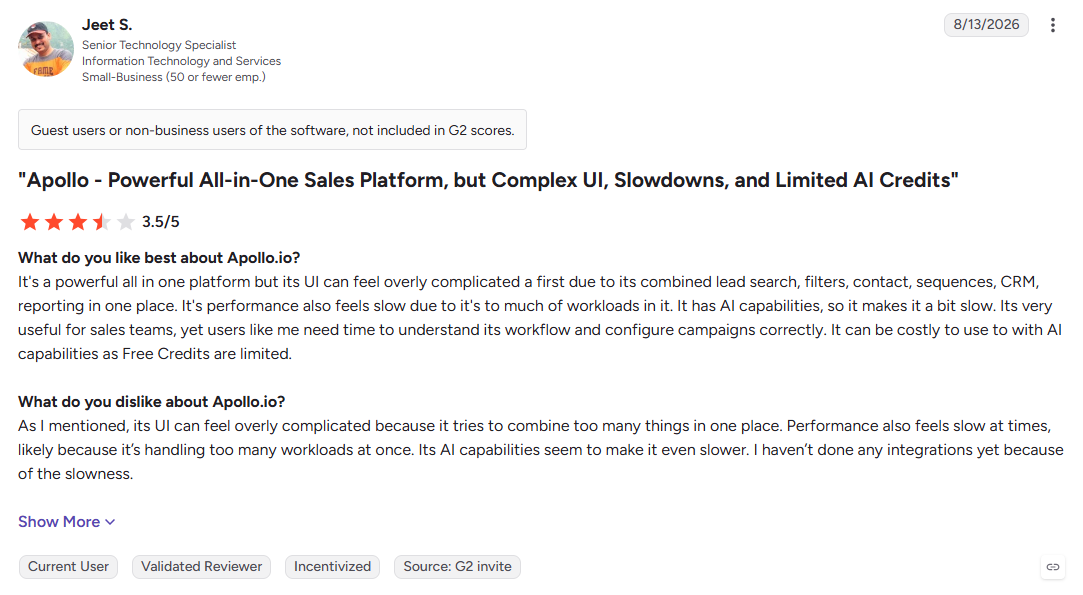
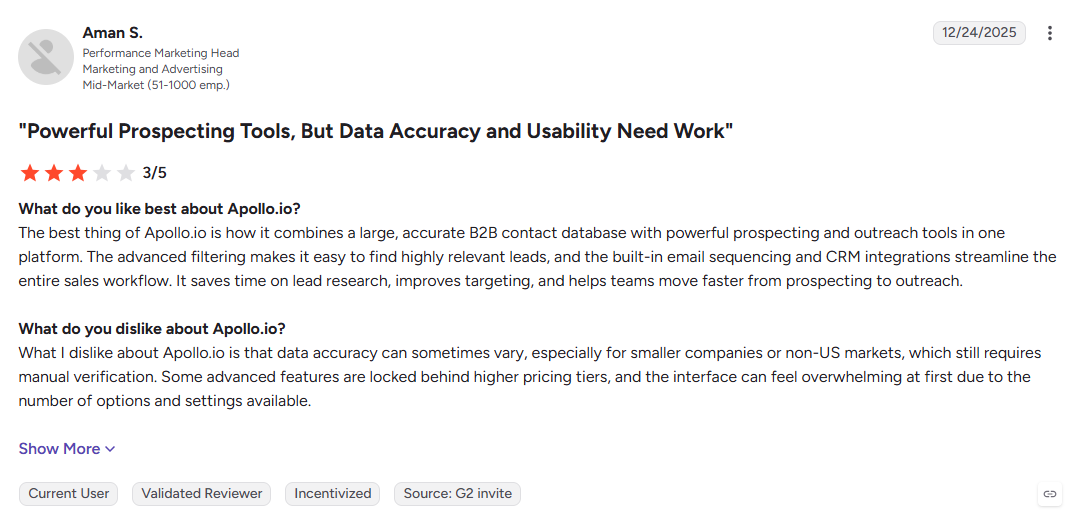
Apollo's international coverage can be less consistent than its US coverage. Reviewers report international contact accuracy between 60% and 73%, which can matter for teams selling across multiple regions.
Clay can improve regional coverage by cascading into providers that are stronger in specific markets. The trade-off is higher usage costs and more work to manage the right sources.
10. Onboarding, Learning Curve and Who Operates It
Apollo is built for self-serve use, so a sales rep can start building lists and running outreach without understanding data pipelines.
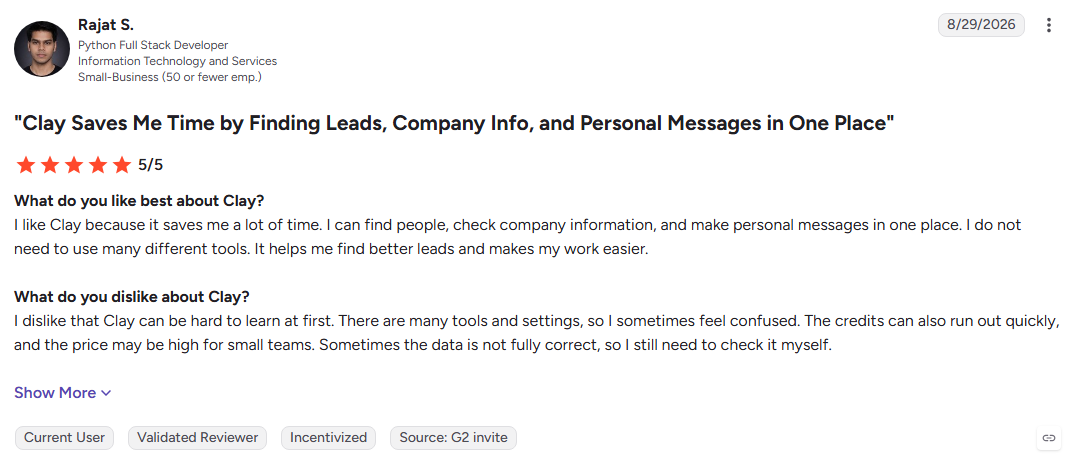
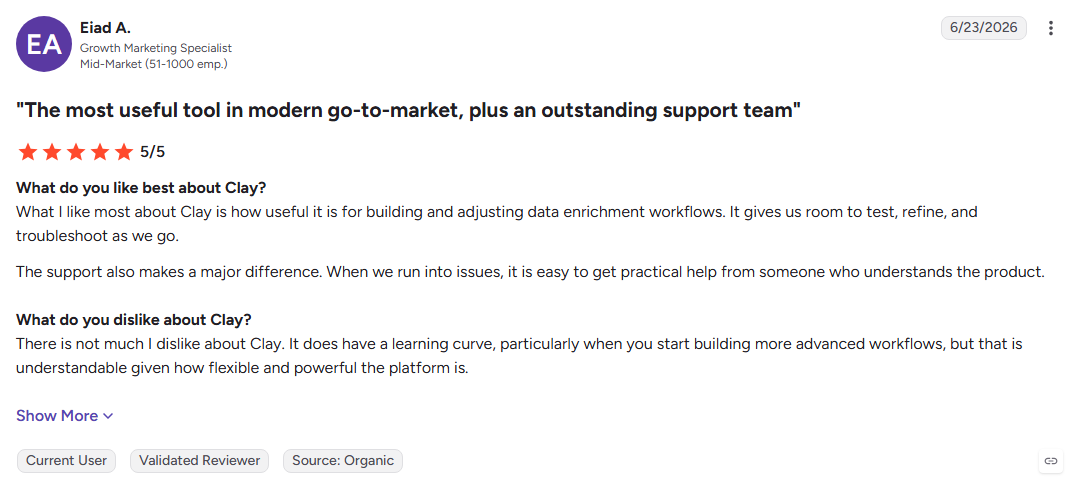
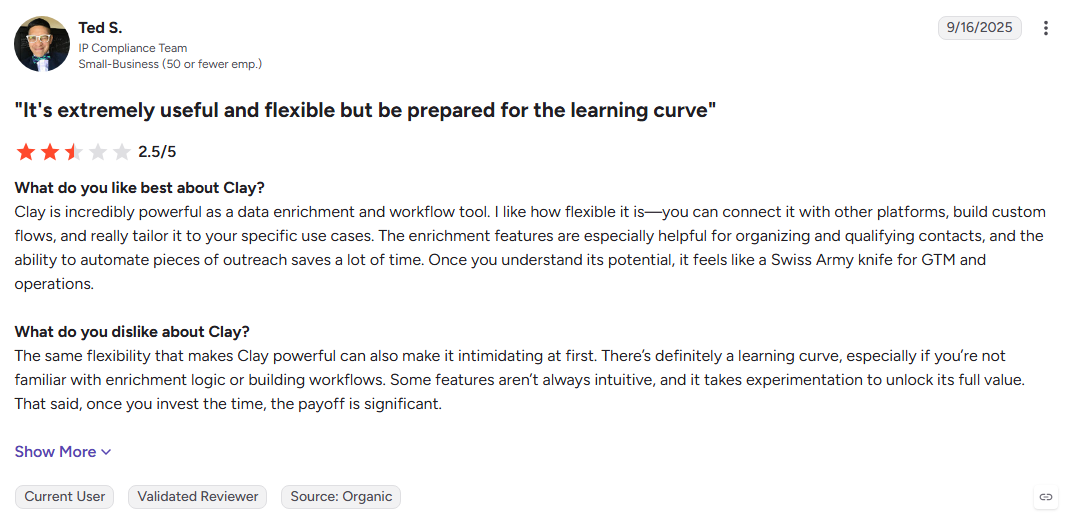
Clay requires more ownership. Teams need someone who can build tables, manage providers, and maintain workflows. G2 feedback also shows learning difficulty as a recurring concern, with 28% of negative reviews naming it as the main frustration.
Also Read: Apollo.io Alternatives: Top 10 Tools
Apollo vs Clay Pricing: How Each Model Really Works
The subscription price is only part of the cost. Apollo ties spending to seats and credits, while Clay ties it to usage, so the cheaper-looking option can change once your team and prospecting volume grow.
1. How Apollo Prices
Apollo charges per seat, with a credit allowance included in each plan and a free entry-level option. That makes the base cost easy to estimate, but every new user who needs prospect data adds another licence.
Credits add another layer. Emails use credits, phone numbers cost more, and unused credits expire at the end of the billing cycle. Heavy prospecting can therefore push your real cost beyond the seat price.
2. How Clay Prices
Clay uses usage-based pricing instead of making seats the main cost. Seats are unlimited, while data credits pay for enrichment and actions pay for the work your tables perform.
That can work well for larger teams, but usage can move quickly. A large waterfall or poorly ordered workflow can consume credits and actions faster than expected.
3. The Costs That Never Reach the Pricing Page
Clay's highest hidden cost can be the person operating it. Someone has to build tables, manage providers, maintain workflows, and update them when your ICP changes.
There is also a potential double-spend when both platforms are used. If Clay enriches records that Apollo already provides, you may pay for the same data twice without gaining much additional value.
Apollo vs Clay: Pros and Cons Side by Side
The difference is clear once you look at where each platform saves time and where it creates extra work. Apollo keeps outbound simple and centralized, while Clay gives teams more control over data and enrichment.
1. Apollo Pros and Cons
Pros
- One login: Database, sequences, dialler, and enrichment in one platform
- Fast ramp: Reps can start outbound quickly without a data specialist
- Deep filters: Target prospects by title, company size, geography, and tech stack
- Predictable licence: Per-seat pricing with a usable free tier
Cons
- Single-source ceiling: If Apollo does not have a record, there is no second provider to fall back on
- Weaker international coverage: Data quality can drop outside its stronger markets
- Expiring credits: Unused credits disappear at the end of each billing cycle
- Limited warm-up: Sending infrastructure is less focused on deliverability than dedicated tools
2. Clay Pros and Cons
Pros
- Multi-source coverage: Waterfall enrichment can search multiple providers
- Unlimited seats: Costs are tied more closely to usage than team size
- AI research: Claygent can fill gaps with open-web research
- Custom signals: Build segments around hiring, funding, technology, and other signals
Cons
- Steep learning curve: Teams need someone who can manage data workflows
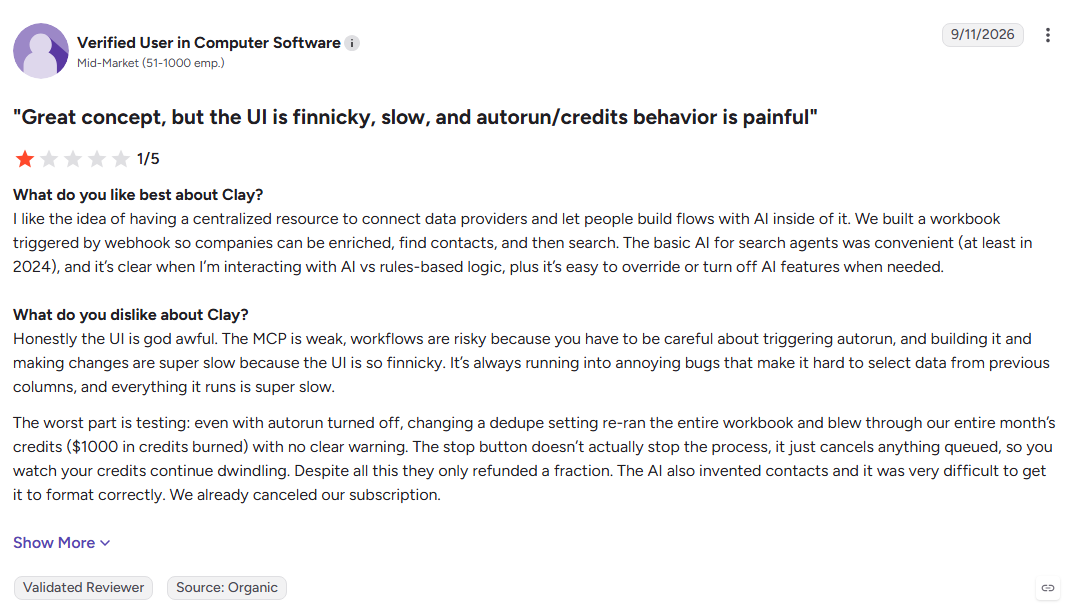
- Billable learning: Testing workflows can consume credits and actions
- No complete outbound stack: Many teams still need a dedicated sender
- Variable cost: Spending changes with enrichment and workflow volume
Now you have seen where each platform saves time, where it adds cost, and where each one falls short. The next question is whether you should choose one at all, or use Apollo and Clay together.
Can You Use Apollo and Clay Together?
Yes. For some teams, using both creates a stronger workflow than choosing one. Apollo handles prospect discovery, Clay improves the data, and a dedicated sender handles the final outreach.
1. The Hybrid Stack Most Agencies Run
Apollo can provide the initial list based on your ICP. Clay can then enrich those records with waterfall verification, technographic data, and research-driven personalisation before they reach your sender.
The workflow is simple: Apollo finds, Clay enriches, and the sender delivers. This setup works best when your targeting needs more data depth than one platform can provide.
2. When Running Both Is Overkill
You do not need the full stack for every sales motion. If your market has only a few hundred target accounts, a smaller workflow may give your team better control without the added complexity.
The same applies to broad North American targeting. If Apollo already covers your ICP well, adding another enrichment layer can increase cost and setup without solving a real problem.
Also Read: Global Visitor Identification Across 175+ Countries
Apollo vs Clay vs Kwin (Vison AI): Full Comparison
Apollo helps teams find and contact prospects. Clay enriches and automates prospect data. Kwin focuses on identifying and converting people already visiting your website.
Want to see what your anonymous traffic is worth? Hire Kwin For Free and see which visitors your current stack misses. No credit card required.
Let’s look at how Kwin identifies, qualifies, and engages those visitors.
Why Kwin (Vison AI) Wins Where Apollo and Clay Stop
Kwin is not another dashboard you query. She is an AI Employee that works across your website traffic to identify, qualify, nurture, and hand off potential buyers.
Apollo and Clay help you build and improve prospect lists. Kwin focuses on the people already showing interest by visiting your website.
1. How Kwin Identifies Visitors
Step 1: Install the pixel
Add Kwin’s lightweight script to your site or through Google Tag Manager. Setup takes about five minutes, with no developer sprint required.
Step 2: Capture visitor signals
Kwin reads signals such as IP, browser, referral source, pages viewed, time on page, and return visits to build a visitor profile.
Step 3: Identify the company
IP intelligence and ASN mapping connect the visit to an organization, then firmographic data adds industry, revenue, headcount, and location.
Step 4: Identify the person
Kwin compares multiple data points against identity graphs and assigns a confidence score. Weak matches are filtered out instead of being treated as confirmed identities.
Step 5: Enrich the record
Once identified, Kwin adds the person’s name, work email, phone, LinkedIn profile, and company details.
Step 6: Apply your filters
Country, page, public-sector, government, and other rules help remove traffic you do not want before scoring begins.
2. How Kwin Scores ICP Fit and Purchase Intent
Kwin uses two scores to decide which visitors deserve attention. ICP Fit measures how closely they match your ideal customer based on factors such as industry, revenue, headcount, and location.
Purchase Intent looks at behavior such as pricing-page visits, repeat sessions, product-page activity, and site paths. You set the thresholds, and Kwin acts only when a visitor meets them.
3. How Kwin Nurtures and Hands Off
Once a visitor qualifies, Kwin can send personalized email sequences from your own domain through Gmail, Outlook, or SMTP-IMAP. Her knowledge base can use your website and uploaded files to personalize the conversation.
When someone replies positively, Kwin sends the conversation and summary to your inbox. Handoff can also connect with tools such as Slack and your CRM. LinkedIn outreach is currently in development, while Mark, the AI Content Marketer, remains on the waitlist.
4. Coverage, Control, and Proof
Kwin identifies 60% to 70% of visitors at the person and company level across 175+ countries, making it useful for businesses with traffic beyond North America.
You control scoring thresholds, country and page filters, sending domains, and handoff destinations. Kwin works within the rules you set.
The results show the potential: at Infiniticube, Kwin generated 2.5x more qualified leads in 45 days, with more than 35% of meetings coming from non-form visitors.
So, Kwin is better viewed as another layer of the revenue motion, not simply a replacement.
Also Read: How To Identify Who Visits Your Website: Complete Guide
How to Choose Between Apollo, Clay and Kwin
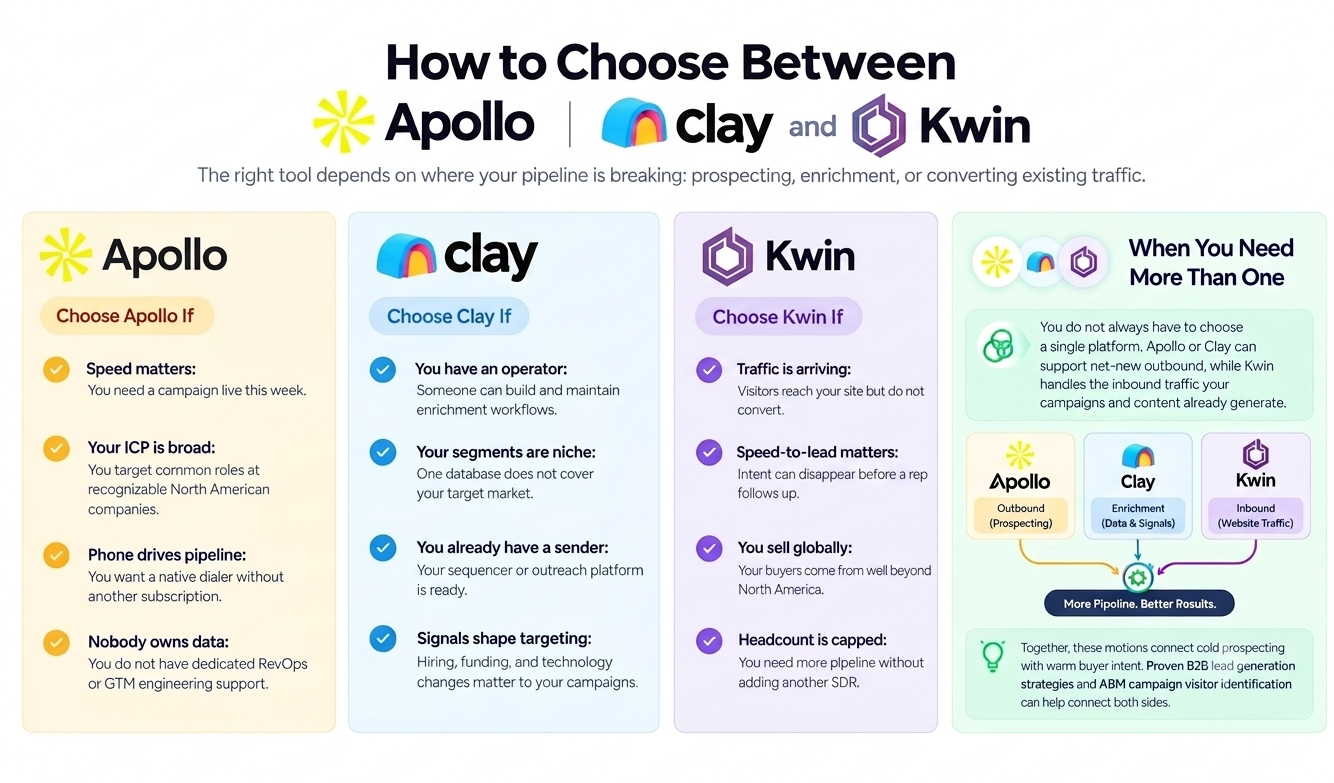
The right tool depends on where your pipeline is breaking: prospecting, enrichment, or converting existing traffic.
1. Choose Apollo If
- Speed matters: You need a campaign live this week.
- Your ICP is broad: You target common roles at recognizable North American companies.
- Phone drives pipeline: You want a native dialer without another subscription.
- Nobody owns data: You do not have dedicated RevOps or GTM engineering support.
2. Choose Clay If
- You have an operator: Someone can build and maintain enrichment workflows.
- Your segments are niche: One database does not cover your target market.
- You already have a sender: Your sequencer or outreach platform is ready.
- Signals shape targeting: Hiring, funding, and technology changes matter to your campaigns.
3. Choose Kwin If
- Traffic is arriving: Visitors reach your site but do not convert.
- Speed-to-lead matters: Intent can disappear before a rep follows up.
- You sell globally: Your buyers come from well beyond North America.
- Headcount is capped: You need more pipeline without adding another SDR.
Conclusion
Apollo helps teams find and reach prospects, while Clay adds deeper B2B data enrichment and flexible workflows. Both are useful for outbound, but neither is focused on converting the buyers already visiting your website.
Kwin fills that gap by identifying, qualifying, and engaging anonymous visitors across 175+ countries. This gives sales teams another way to turn existing website traffic into qualified conversations.
We hope this guide helps you understand where each platform fits, what your sales motion needs, and where your current stack may be leaving opportunities behind.
Ready to turn anonymous visitors into real conversations? Hire Kwin For Free and start converting your website traffic into booked meetings, with no credit card required.